A good photo printer turns the thousands of images trapped on a phone into prints you can frame, gift, and hold. While screens scroll endlessly, a printed photograph still carries a weight that pixels cannot match, and owning the right photo printer means producing that quality on demand at home, in minutes, with full control over color and cropping. For families preserving memories, hobbyists building albums, and photographers selling work, a capable machine pays back its cost in convenience and creative freedom. The challenge is that the category spans tiny pocket gadgets and gallery-grade studio printers, with very different strengths.
Choosing well means matching the technology to your goals. A pocket printer that spits out fun stickers is the wrong tool for archival wall art, and a wide-format studio printer is overkill for casual four-by-six snapshots. Print quality, longevity, running costs, and connectivity all vary widely, and a low purchase price can hide expensive consumables that cost more over a year than the printer itself. Understanding these trade-offs before buying prevents disappointment and wasted money.
This article reviews five of the best photo printer options across every use case, explains the print technologies in plain language, and shows how to get the most striking results at home. A comparison table, a technology breakdown, and clear guidance on who each model suits make the decision simple. Whether you want lab-quality prints on the wall or instant photos at a party, the right photo printer is here, matched to your budget and the kind of pictures you love to make.
1. Why a Dedicated Photo Printer Still Matters
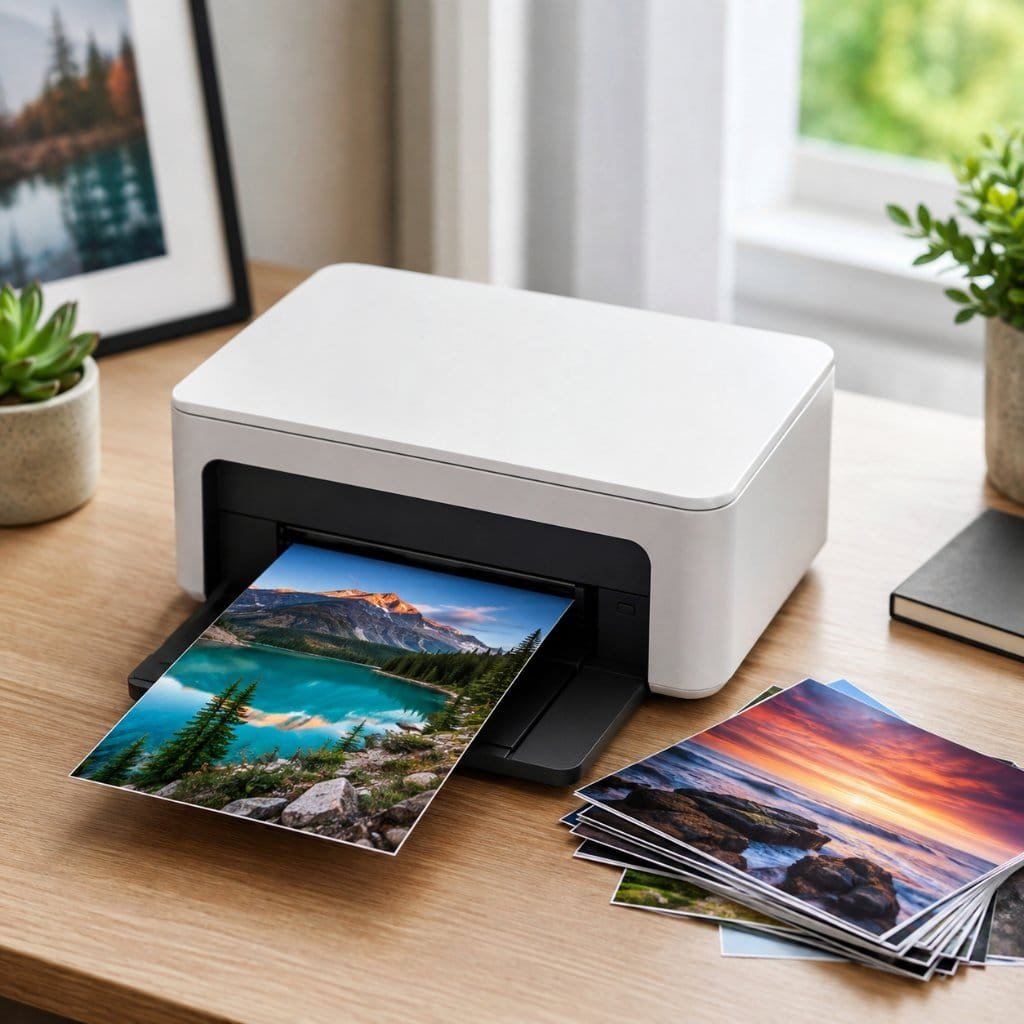
In an age of infinite cloud storage, a dedicated photo printer might seem unnecessary, yet it solves a problem screens never will: making images permanent, tangible, and shareable in the physical world. A regular office printer can put a picture on paper, but it cannot match the color depth, smooth gradients, and durability that a true photo printer delivers. The difference comes down to specialized inks, dedicated photo papers, and engineering tuned for image reproduction rather than text. Understanding what makes these machines distinct, and how their underlying technologies differ, is the foundation for choosing the right one.
1.1 What Sets Photo Printers Apart From Regular Printers
A standard printer is optimized for crisp black text and the occasional chart, using a handful of inks and ordinary paper. A photo printer, by contrast, is built around color fidelity. Many use six, eight, or more individual inks, adding light cyan, light magenta, gray, and sometimes red or blue to render subtle skin tones, smooth skies, and deep shadows without banding. These extra channels are what separate a flat, posterized snapshot from a print that looks like a genuine photograph with natural transitions across every tone.
The paper handling and software are equally specialized. Photo printers feed thick, coated photo stock through a path designed to keep it flat and avoid scuffing, and they pair with drivers that manage color profiles for accurate results. Dedicated models also resist the bronzing and gloss differential that plague images printed on office machines. Combined, the inks, paper path, and color management produce prints with the richness, sharpness, and consistency that casual printers simply cannot reach, which is exactly why the category continues to thrive.
1.2 The Print Technologies Explained
Four main technologies dominate the photo printer market, and each suits a different need. Dye-based inkjet printers spray liquid dye that absorbs into the paper, producing vivid, vibrant color that flatters everyday photography. Pigment-based inkjets lay solid pigment particles on the surface instead, trading a little vibrancy for outstanding fade resistance that makes them the choice for archival and fine-art work. Knowing which family a printer belongs to tells you most of what you need to predict about its color, durability, and ideal use.
The other two technologies serve convenience and portability. Dye-sublimation printers use heat to transfer dye from a ribbon onto special paper, sealing each print with a protective coat that resists water and fingerprints, which makes them ideal for consistent four-by-six photos at events. ZINK, short for Zero Ink, embeds color crystals in the paper itself and activates them with heat, allowing tiny cartridge-free printers to live in a pocket. The table later in this article compares all four directly, but the key idea is that no single technology wins at everything.
2. How to Choose the Right Photo Printer
Picking the right photo printer comes down to honestly defining what you print, how often, and how long it needs to last. The decisive factors are print size and quality, the longevity of the finished photo, the true running cost per print, and how easily the printer connects to your phone, camera, or computer. A model that excels for one person can frustrate another, so weighing these against your real habits, rather than the highest specification on the box, leads to a purchase you will keep using for years instead of abandoning in a drawer.
2.1 Print Size, Quality, and Longevity
Print size is the first decision, because it narrows the field immediately. If you mostly want standard snapshots, a four-by-six dye-sublimation or compact inkjet is perfect, while framing larger work for walls calls for a wide-format printer that handles A3 or thirteen-inch media. Resolution and ink count then govern fine detail and tonal smoothness, with more inks generally producing better gradations. Matching the maximum print size to what you actually display avoids both paying for capability you never use and outgrowing a printer within months of buying it.
Longevity matters more than buyers expect, especially for prints meant to last. Pigment inks resist fading for the longest, with independent labs such as Wilhelm Imaging Research rating quality pigment prints to survive many decades under glass, while good dye prints still endure for years. Display conditions count too, since direct sunlight and humidity age any print faster. If you are creating heirlooms or selling work, prioritize a printer and paper combination known for permanence; if you print disposable fun photos, longevity is far less critical to your choice.
2.2 Running Costs, Connectivity, and Convenience
The sticker price is only half the story, because consumables determine the real cost over a printer’s life. Traditional cartridge inkjets can be inexpensive to buy yet costly to feed, while refillable tank systems carry a higher upfront price and a dramatically lower cost per print. Dye-sublimation and ZINK printers bundle paper and color into kits, giving a predictable per-photo price that is easy to budget but often higher than tank inkjets. Estimating how many prints you will make each year reveals which pricing model genuinely saves you money.
Connectivity and convenience features shape how often the printer actually gets used. Wi-Fi, Bluetooth, and dedicated phone apps let you print directly from a handset, while card slots and USB ports suit cameras and computers. Touchscreens, automatic paper handling, and app-guided editing lower the friction that otherwise leaves a printer idle. A photo printer that pairs effortlessly with the device where your pictures live is one you will reach for constantly, so prioritize the connection methods that fit your daily workflow rather than a long feature list you will never touch.
3. The Best Photo Printers Reviewed
As an Amazon Associate, BeIN ADVISOR earns from qualifying purchases.
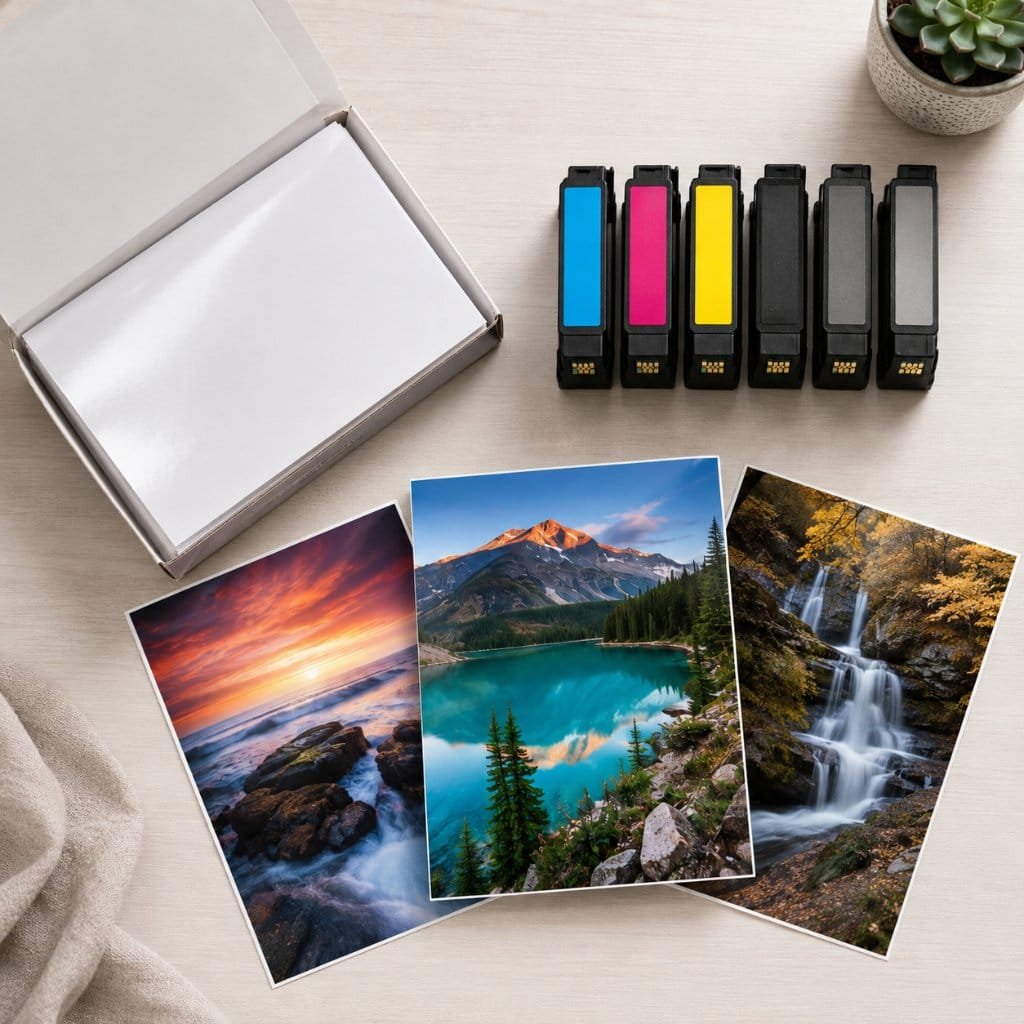
The five photo printers below were chosen to cover the full range of needs, from professional wall art to instant party prints and everything in between. Each entry explains where the model fits in the market, details how it prints and what it offers, and describes who it suits best along with the trade-offs to weigh. Prices and consumable costs shift over time and by region, so the focus stays on technology, print size, and real-world strengths. Read each summary against the kind of photos you make most to find your ideal match.
3.1 Canon PIXMA PRO-200 — Best for Enthusiast Wide-Format Prints
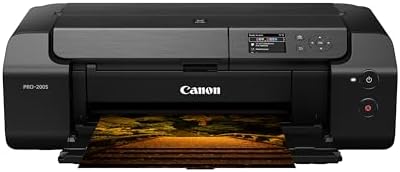
The Canon PIXMA PRO-200 sits at the enthusiast and semi-professional end of the photo printer market, aimed at people who want gallery-quality color on large paper. It is a dedicated photo printer rather than an all-in-one, signaling its single-minded focus on image quality. Canon positions it for photographers who frame their work, sell prints, or simply demand the best color their images deserve. For anyone graduating from snapshots to serious printing, it is the natural step up, capable of borderless prints up to thirteen by nineteen inches.
The PRO-200 uses an eight-color dye-based ink system engineered for vivid, saturated color and exceptionally smooth gradients, with dedicated channels that deepen blacks and refine subtle tones. Wireless and USB connectivity, plus Canon’s editing software, streamline the path from screen to print, and the printer handles a range of fine-art and glossy papers. Because it relies on dye rather than pigment, it favors vibrant color reproduction over maximum archival life, an intentional trade that suits color photography beautifully. Large prints emerge with the punch and clarity that flatter landscapes and portraits alike.
This printer is best for hobbyist and enthusiast photographers who print large and prioritize striking color. The trade-offs are its size, the cost of feeding eight separate cartridges, and the lack of scanning or copying, since it does one job and does it well. Casual users who only need occasional four-by-six prints will find it far more printer than necessary. For its target audience producing framed work, though, the combination of wide format, rich eight-ink color, and Canon’s reliable color management makes it one of the most rewarding choices available.
3.2 Epson EcoTank Photo ET-8550 — Best All-in-One Value
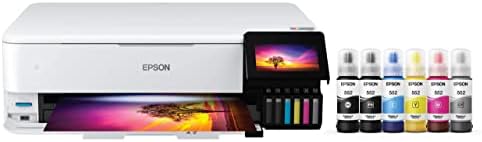
The Epson EcoTank Photo ET-8550 targets households that want excellent photo quality, everyday document printing, and the lowest possible running cost in a single machine. It occupies the value-conscious sweet spot of the market by replacing expensive cartridges with large refillable ink tanks. Epson markets it as the printer that ends the cycle of costly consumables, and its all-in-one design adds scanning and copying. For a family that prints both school documents and treasured photos, it answers nearly every need from one capable, wide-format device.
A six-color ink set, including a dedicated gray for richer black-and-white work, drives the photo quality, and the printer handles media up to thirteen inches, or A3, for larger prints. The refillable EcoTank system brings the cost per photo down dramatically compared with cartridge rivals, which is its headline advantage. Wi-Fi, a touchscreen, card slots, and a scanner round out a genuinely versatile package. Print quality on photo paper is strong across both vibrant color and neutral monochrome, making it a true dual-purpose machine rather than a compromise.
This photo printer is best for families and hobbyists who want versatility and low long-term costs without sacrificing photo quality. The trade-offs are a higher upfront price than basic cartridge printers and a physical size that needs permanent desk space. Those who only print occasionally may not recoup the initial investment as quickly. For anyone who prints regularly, however, the blend of six-ink photo output, A3 capability, full all-in-one features, and rock-bottom per-print cost makes it one of the smartest all-round buys in the category.
3.3 Canon SELPHY CP1500 — Best Compact 4×6 Printer
The Canon SELPHY CP1500 is a compact, dedicated four-by-six printer built around dye-sublimation, aimed at people who want quick, durable snapshots without the complexity of inkjet maintenance. It sits in the accessible middle of the market as a specialist in standard photo sizes. Canon positions the SELPHY line for homes, events, and anyone who prints postcard-size memories regularly. For a household that mainly makes traditional photo prints to slip into albums or frames, this small machine covers that need neatly and reliably.
Dye-sublimation gives each print a smooth, consistent finish sealed with a protective overcoat that resists water, smudges, and fading from handling, so photos survive being passed around. The printer connects over Wi-Fi, USB, and card slots, prints directly from phones, and produces a finished four-by-six in under a minute. Its all-in-one paper-and-ribbon kits make the cost per print predictable and the supplies easy to buy. Because everything is tuned to one size, results are remarkably consistent from the first print to the last in a pack.
This printer is best for families and casual users who want fast, durable four-by-six prints with minimal fuss. The trade-offs are the fixed maximum size, which rules out larger work, and a per-print cost that sits above refillable tank inkjets. Enthusiasts wanting wall art will need something bigger. For its purpose, though, the SELPHY CP1500 delivers reliable, water-resistant snapshots from a portable body, making it one of the most practical dedicated photo printers for everyday memory-keeping at home or on the move.

3.4 HP Sprocket — Best Pocket and Portable Printer
The HP Sprocket is a pocket-sized photo printer that prints small, sticky-backed photos straight from a phone, built for fun, spontaneity, and sharing rather than archival quality. It occupies the playful, budget-friendly corner of the market aimed at teens, scrapbookers, and social users. HP positions it as an accessory for the smartphone generation, emphasizing portability and instant gratification. For anyone who wants to decorate a journal, fridge, or wall with quick two-by-three-inch keepsakes, the Sprocket turns phone photos into physical stickers in seconds.
It uses ZINK, or Zero Ink, technology, where heat activates color crystals embedded in the paper, so there are no cartridges to buy or replace, only refill packs of adhesive-backed sheets. The printer pairs over Bluetooth with a companion app that adds filters, frames, and stickers before printing. Its battery and tiny footprint make it genuinely pocketable, and the peel-and-stick output is part of the appeal. Image quality is modest compared with inkjet or dye-sublimation, but that is an accepted trade for the format’s portability and playfulness.
This printer is best for casual, social users who value portability and fun over fidelity. The trade-offs are the small two-by-three-inch size, lower resolution, and a per-print cost that is high relative to the image quality. Anyone seeking frame-worthy prints should look elsewhere entirely. For its intended purpose of instant, shareable, stick-anywhere photos, however, the Sprocket nails the brief, and its sheer convenience makes it a delightful companion for parties, travel, and creative crafting on the go.

3.5 Kodak Dock Plus — Best for Instant Home Prints
The Kodak Dock Plus bridges instant convenience and respectable quality, offering four-by-six dye-sublimation prints from a simple dock-and-tap design. It sits in the approachable mid-market for families who want lab-style photos at home without learning printer settings. Kodak leans on its heritage in photography to position the Dock as the easy way to print phone memories instantly. For households that gather around new pictures and want them on paper immediately, this printer makes the process as simple as resting a phone on the dock.
Dye-sublimation produces four-by-six prints with a laminated, fingerprint-resistant finish that holds up to handling and time, and the dock connects by physically seating a phone or over Bluetooth for Android and other devices. A companion app adds editing, collages, and decorative options before printing. The all-in-one cartridge-and-paper kits keep supplies straightforward and the per-print cost predictable. One-touch operation and a finished photo in under a minute make it approachable for every member of the family, including those who avoid technology.
This photo printer is best for families who prize instant, foolproof four-by-six prints and an easy docking workflow. The trade-offs are the fixed print size and a per-photo cost typical of dye-sublimation kits, which exceeds refillable inkjets over high volumes. Those wanting larger or archival prints should choose a different category. For effortless instant printing at home, though, the Kodak Dock Plus delivers durable, good-looking snapshots with minimal effort, making it an excellent choice for capturing and sharing everyday family moments on the spot.

4. Photo Printer Comparison at a Glance
The first table distills the five reviews into the factors that most affect a buying decision: print technology, maximum size, connectivity, and the buyer each model serves best. The second compares the four print technologies directly, so you can see why each printer behaves as it does. Use them together to shortlist a candidate, then return to the detailed reviews for the finer points a table cannot capture.
| Printer | Technology | Max Print Size | Connectivity | Best For |
|---|---|---|---|---|
| Canon PIXMA PRO-200 | 8-color dye inkjet | 13 × 19 in | Wi-Fi, USB | Enthusiast wide-format |
| Epson EcoTank ET-8550 | 6-color dye inkjet (refillable) | 13 in / A3 | Wi-Fi, USB, card | All-in-one low cost |
| Canon SELPHY CP1500 | Dye-sublimation | 4 × 6 in | Wi-Fi, USB, card | Compact 4×6 prints |
| HP Sprocket | ZINK (zero ink) | 2 × 3 in | Bluetooth | Pocket and social |
| Kodak Dock Plus | Dye-sublimation | 4 × 6 in | Bluetooth, dock | Instant home prints |
| Technology | How It Works | Strengths | Longevity |
|---|---|---|---|
| Dye inkjet | Liquid dye absorbed into paper | Vivid color, smooth gradients | Good |
| Pigment inkjet | Solid pigment on the surface | Fade-resistant, archival | Excellent |
| Dye-sublimation | Heat transfers dye from a ribbon | Water and smudge resistant | Very good |
| ZINK (zero ink) | Heat activates dye in the paper | Cartridge-free, ultra-portable | Moderate |
If you enjoy researching the right gear before you buy, our hands-on reviews of the best dash cam options and our wider everyday gadget buyer’s guides apply the same careful approach to other useful tech.
5. How to Get the Best Prints at Home
Owning a capable photo printer is only the start, because a few simple habits separate flat, disappointing prints from images that look professionally produced. Using the right paper, preparing files correctly, managing color, and maintaining the printer all shape the final result. None of these steps is complicated, and together they unlock the full potential of any machine in this article. The guidance and longevity tips below help you produce prints worth framing and keep them looking their best for as long as possible.
5.1 Paper, Color, and File Quality
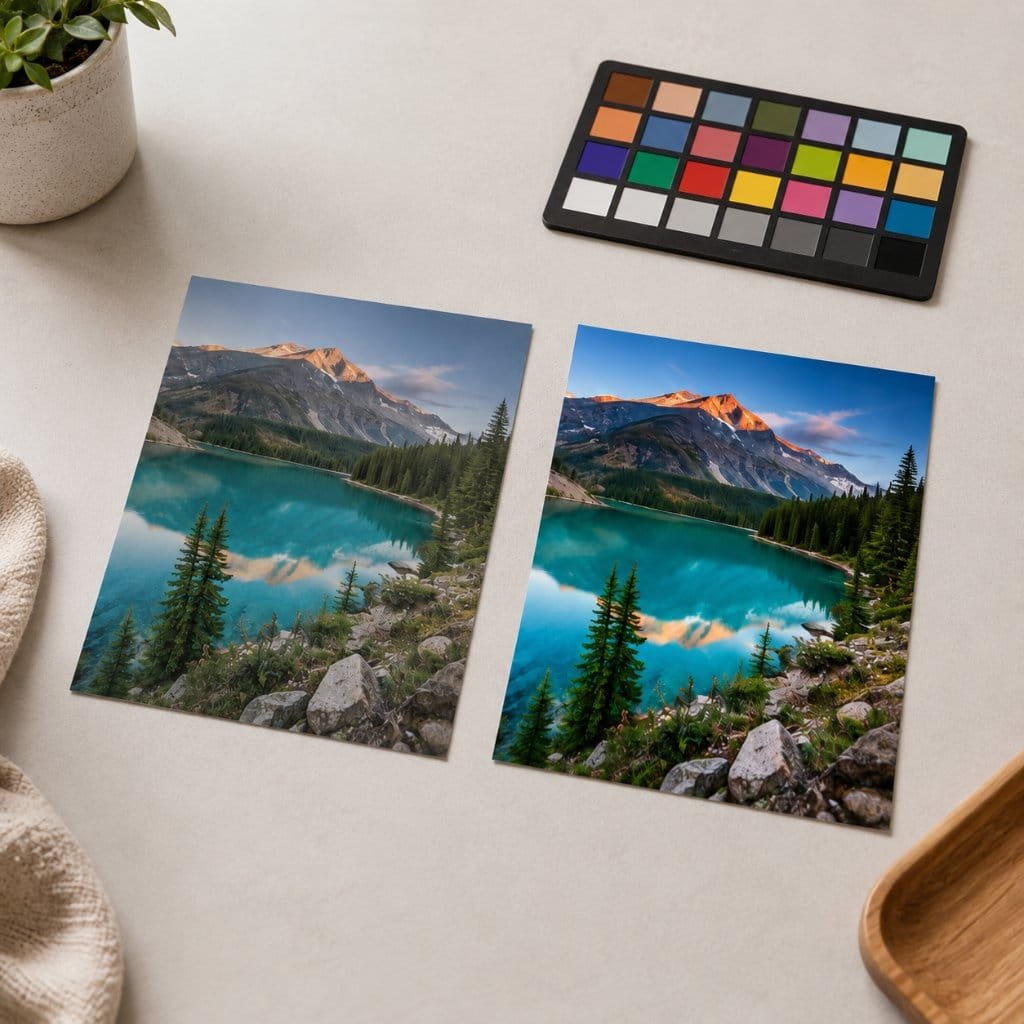
Paper choice has an outsized effect on how a photo looks, often more than the printer itself. Matching genuine photo paper to your printer and selecting the right finish, whether glossy for punch, luster for balance, or matte for a refined look, transforms the result. Using the manufacturer’s recommended paper and the matching profile in the print settings ensures colors land as intended rather than shifting unpredictably. Cheap, incompatible paper is the most common reason home prints disappoint, so this single choice repays attention every time you print.
File quality and color management complete the picture. Start from the highest-resolution original you have, since a small or heavily compressed image will look soft once enlarged, and avoid repeatedly editing and re-saving in lossy formats. Calibrating your screen, or at least editing in good light, helps what you see match what you print, reducing wasted paper. Letting the printer driver manage color with the correct paper profile usually beats manual guesswork. These small preparations consistently turn an ordinary file into a crisp, accurate, frame-ready print.
5.2 Maintenance and Print Longevity
A little maintenance keeps an inkjet photo printer producing clean results. Printing something at least occasionally prevents the print heads from clogging, which is the most common cause of streaks and missing colors, and running the built-in cleaning cycle clears minor blockages when they appear. Storing paper flat, sealed, and away from humidity stops it cockling or absorbing moisture that ruins prints. Keeping the printer covered from dust and using genuine supplies further protects both print quality and the machine’s lifespan across years of use.
Protecting finished prints preserves the memories you worked to create. Let prints dry fully before stacking or framing, since fresh ink can transfer or smudge, and handle them by the edges to avoid fingerprints. Displaying photos behind glass or in albums shields them from dust, humidity, and the ultraviolet light that fades any print over time, with pigment prints lasting longest in bright rooms. The care schedule below summarizes the simple routines that keep both your photo printer and its output looking their best for the long term.
| Practice | Frequency | Why It Matters |
|---|---|---|
| Print or run a nozzle check | Weekly to monthly | Prevents clogged print heads |
| Use matched photo paper and profile | Every print | Accurate color and finish |
| Store paper sealed and flat | Ongoing | Stops curling and moisture damage |
| Let prints dry before framing | Every print | Avoids smudging and transfer |
| Display behind glass or in albums | Ongoing | Slows fading and protects surface |
6. Frequently Asked Questions
Is a photo printer worth it compared with ordering prints? For anyone who prints often, yes. You get instant results, full control over color and cropping, and privacy for personal images. Occasional printers may find a lab cheaper, but enthusiasts value the immediacy and creative control a home photo printer provides.
Which lasts longer, dye or pigment prints? Pigment prints are the most fade-resistant and archival, often rated for many decades behind glass, while quality dye prints still last for years. Paper quality and display conditions matter as much as the ink type when it comes to longevity.
Do I need a wide-format printer? Only if you regularly print larger than four-by-six or A4. For standard snapshots, a compact dye-sublimation or A4 model is plenty, whereas wide-format printers suit enthusiasts framing larger work for walls and exhibitions.
What is the cheapest option per print? Refillable tank inkjets such as the EcoTank offer the lowest cost per print over time. ZINK and many dye-sublimation kits cost more per photo but need no separate ink, trading a higher per-print price for simplicity and convenience.
Conclusion: Find the Photo Printer That Fits Your Pictures
The best photo printer is the one matched to the pictures you actually make. The Canon PIXMA PRO-200 rewards enthusiasts printing large, the Epson EcoTank ET-8550 blends photo quality with unbeatable running costs, and the Canon SELPHY CP1500 nails durable four-by-six snapshots. The HP Sprocket turns phone photos into pocket stickers, while the Kodak Dock Plus makes instant family prints effortless. Print technology, size, and running cost matter far more than headline resolution numbers, because those factors decide how the photos look and how much they cost you over time.
Decide what you print, how large, how often, and how long it must last, then choose the photo printer that answers those questions and pair it with good paper and a little care. The reward is a steady stream of tangible memories, framed on walls and tucked into albums, that no screen can replace. Pick the model that fits your life today, and start turning the pictures you love into prints you can hold for years to come.