
A phone becomes easier to live with when its accessories work as a small system rather than a pile of unrelated purchases. In practice, the right charger protects a daily routine, the right case changes how confidently you carry the device, and a well-placed stand can remove dozens of small frustrations from work or travel. The difficult part is that online listings often turn one specification into a promise about the whole product. However, a high wattage number does not prove compatibility. Similarly, a Bluetooth version does not describe every audio feature. In addition, a low price does not reveal the cost of returns, adapters, or replacements. This guide maps mobile accessories to real situations, then shows how to check a listing before paying.
The most useful comparison begins with the way you use the phone. For example, a commuter has different priorities from someone who keeps a phone beside a laptop all day. A frequent traveler values a compact charging kit, while a creator may care more about a stable mount and clean audio. As a result, the best mobile accessories are defined by the problem they solve, not by the number of features printed on the box. In practice, start with one recurring annoyance, check the phone and case together, and only then compare brands, sellers, and prices. The result is a shorter shopping list and a better chance that every piece earns space in your bag.
There is also a useful distinction between an essential purchase and a convenience upgrade. In fact, a reliable cable can be essential when a damaged one interrupts charging. A magnetic stand may be a convenience until it makes navigation or video calls genuinely easier. This guide therefore avoids invented prices and unsupported product rankings. Instead, it uses compatibility, safety information, handling, seller evidence, and return terms as the decision filters. You can apply the same filters to a product sold through a Shopify store or to a marketplace listing on AliExpress, because the storefront name cannot replace a clear product specification. Consequently, the listing still needs a technical check.
How to Build a Mobile Accessories Kit
Think of the phone kit in layers. First, the power layer keeps the device charged: a compatible charger, a cable with a clear rating, and, if needed, a battery pack. Next, the usability layer keeps it comfortable: a case, a grip, or a stand that fits the way you hold the phone. Finally, the activity layer supports driving, recording, listening, gaming, or desk work. This order prevents a common mistake: buying an attractive activity accessory before solving the basic charging or protection problem. In addition, it makes the budget easier to control because every new item has to justify its place. In turn, the kit stays easier to understand.
Before adding a piece, describe the moment in which it will be used. For example, “I need a stand” is vague. “I need the screen visible during a video call while the charging port remains open” is a testable requirement. Similarly, “I need a power bank” becomes clearer when you specify whether it will stay in a work bag, support a long trip, or serve as an emergency backup. The best mobile accessories usually win because they fit a concrete moment without creating a second problem, such as excessive weight, blocked buttons, or a cable that cannot reach the socket.
Mobile Accessories Compatibility Audit
Write down the exact phone model, connector, case thickness, and devices you expect to charge together. First, remember that a listing that says USB-C may still leave out the charging protocol, data speed, or cable rating that matters to your setup. Check the phone maker’s limits, then compare them with the charger and cable specifications. USB Power Delivery can negotiate power between compatible devices, but that does not mean every phone accepts the highest number printed on a charger. In the end, the phone, charger, cable, and operating conditions still determine the result.
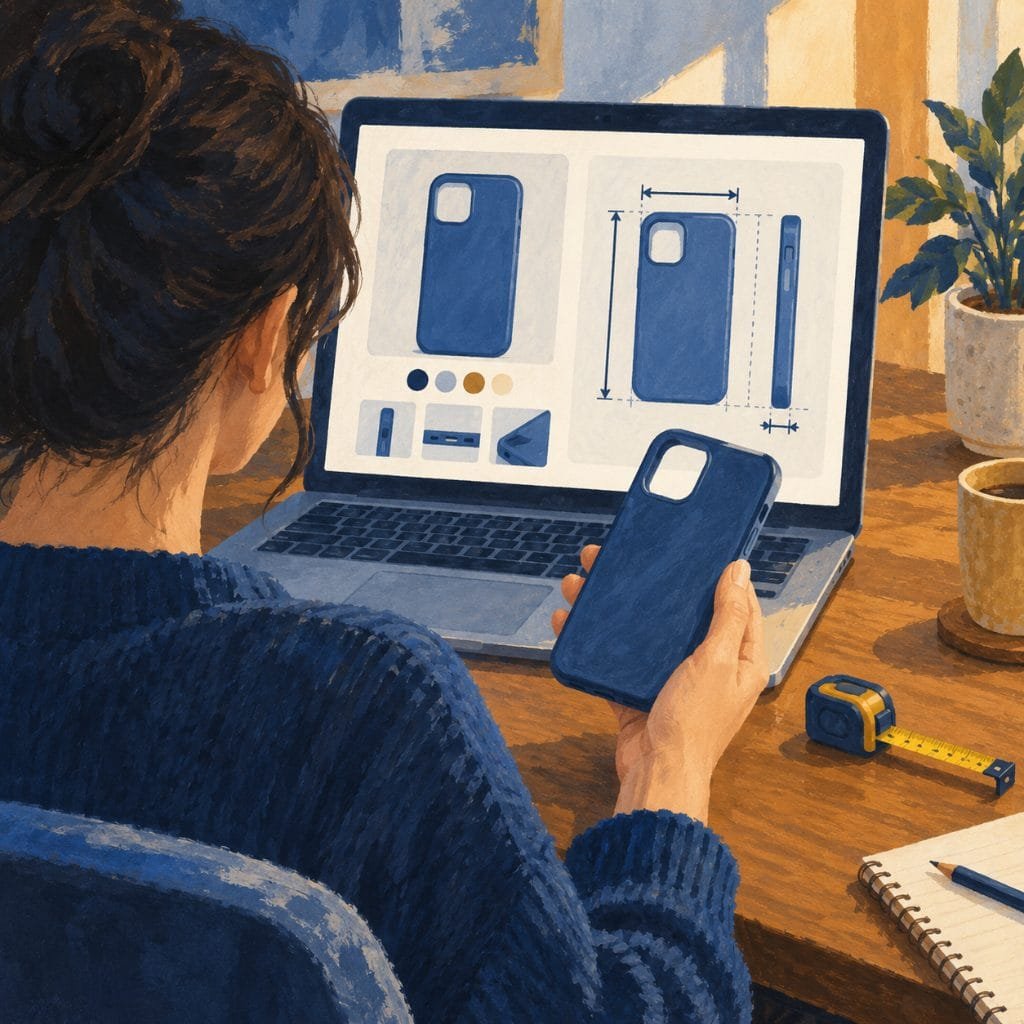
Cases create a second compatibility layer. In addition, a thick edge can prevent a cable from seating fully, a raised camera frame can interfere with a stand, and a metal insert can change how a wireless charger aligns. Check diagrams and dimensions when they are available. For a car mount, confirm that the clamp does not press the volume buttons and that the chosen position does not block the driver’s view. For a magnetic system, verify whether the phone supports the arrangement directly or needs a compatible case or ring. Therefore, these checks are more useful than a long list of generic “universal” claims. Moreover, the case should be part of every test.

| Check. | Question to answer. | Failure it prevents. |
|---|---|---|
| Connector. | Does the plug fit the phone and the case? | Loose charging or blocked insertion. |
| Power. | Which protocol and wattage does the phone accept? | Paying for unused charging capacity. |
| Physical fit. | Do the mount, case, and buttons clear one another? | Pressure, wobble, or poor access. |
| Use environment. | Will it stay on a desk, in a car, or in a bag? | Buying the wrong size or weight. |
Charging, Cables, and Wireless Power
Charging is where marketing language can create the largest gap between expectation and use. In fact, USB-IF describes USB Power Delivery as a flexible method for delivering power over the USB ecosystem, with devices negotiating the amount they need. Its documentation also describes higher-capacity USB-C systems, but a protocol ceiling is not a promise about one phone. When comparing mobile accessories, look for a clear charger profile, protection features, port allocation when several devices are connected, and a cable whose capability is stated rather than assumed. As a result, the charger number needs context.
A desk setup may benefit from one multi-port charger if it replaces several small adapters without reducing the power available to the phone. By contrast, a travel setup may benefit more from low weight, a compact plug, and one spare cable. Read the output table carefully: some chargers share their total capacity across ports, so the number on the package may not be available to every device at once. For example, a short cable can be ideal for a power bank, while a longer cable may be safer at a desk because it avoids pulling the phone toward the edge.
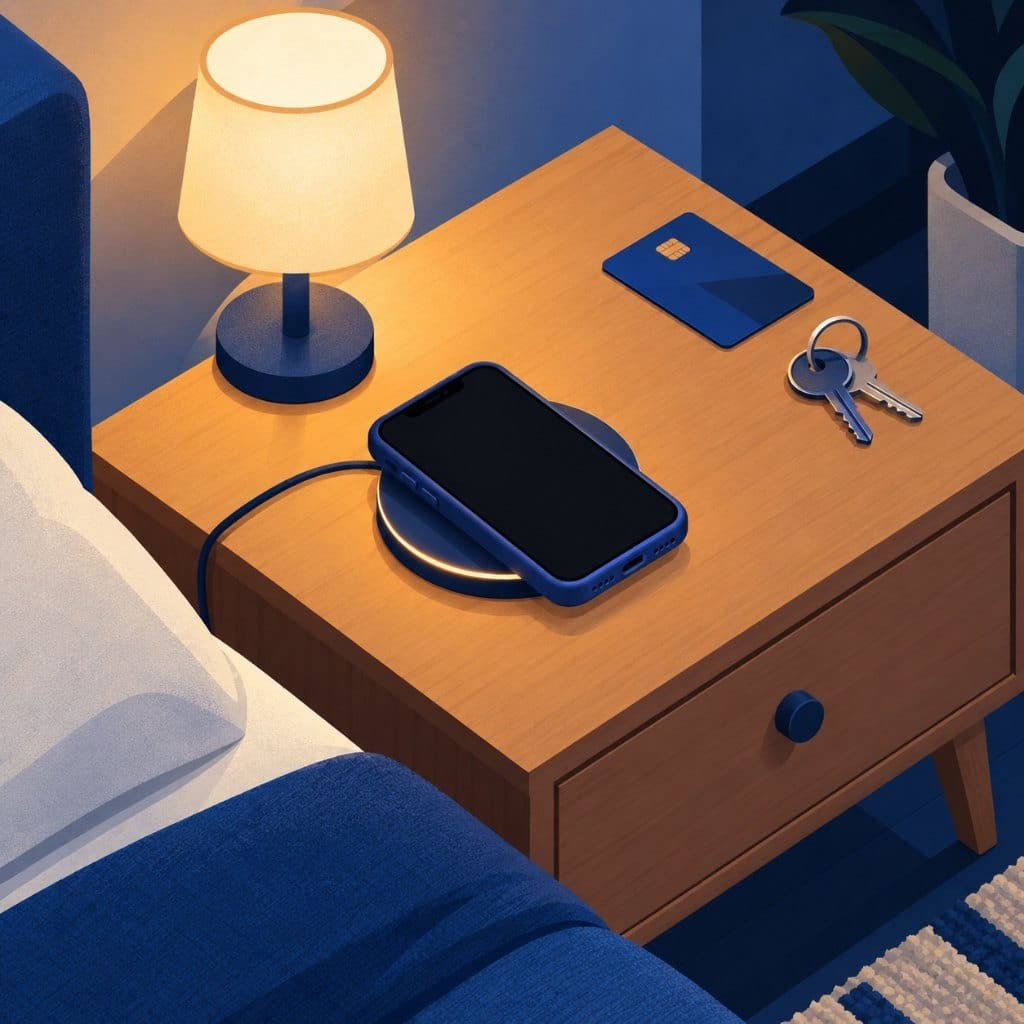
Wireless charging is convenient when the phone can rest in one predictable place. The Wireless Power Consortium says Qi-certified products are tested for safety and interoperability and can be checked in its certified database. In addition, its Qi2 material explains the role of magnetic alignment in easier placement. Still, certification does not remove the need to check the phone, case, and charger as a set. Do not assume that a magnetic label guarantees the same speed for every phone, and keep cards or metal objects out of the charging path.
Mobile Accessories for Commuters and Travelers
A car mount should be judged from the driver’s seat, not from the product photo. For safety, the screen should stay visible without blocking your view of the road or your reach to the controls. Test the clamp with the case installed, because a holder that fits a bare phone may wobble around a thick case. If wireless charging is built into the mount, check the supported input and the alignment method. Ultimately, stability is the central requirement; extra articulation, lights, and decorative features are secondary unless they solve a problem you actually have. In contrast, decoration cannot correct an unstable mount.
Travel changes the balance between capacity and weight. Therefore, a power bank should be compared by useful capacity, charging input, output ports, size, and the time it takes to refill. In fact, a small battery that is easy to carry may be more useful than a larger one that stays at home. Pack a spare cable, but choose one that fits the same connector and charging needs as the main cable. The most practical mobile accessories for travel are the ones you can test before leaving and replace without rebuilding the entire kit. In addition, keep the spare easy to reach.
For work, a folding stand can make the phone visible during calls, timers, or reference tasks. First, check the viewing angle, base stability, hinge resistance, and whether the charging port stays accessible. A cable organizer can be helpful when it prevents tangles, but it should not add bulk that defeats the reason for organizing the bag. If you move between home and office, prioritize mobile accessories that fold, use standard dimensions, or serve more than one device. In practice, multi-use is valuable only when it does not make the main function less reliable.

Audio and Camera Add-Ons
Wireless earbuds serve different buyers depending on whether the priority is calls, music, comfort, or portability. Therefore, look at the fit, microphone placement, controls, app support, charging case, and return policy. Bluetooth SIG distinguishes Classic Audio from LE Audio and describes features such as LC3, broadcast audio, and multi-stream use. However, those features are not guaranteed by a Bluetooth version number alone; the phone and the accessory must support the relevant functions. A plain, well-documented model can therefore be a better choice than a listing with more unexplained labels.
A tripod, grip, or phone mount helps only when it stabilizes the particular shot you make. Next, check the locking mechanism, footprint, phone clamp, range of movement, and weight when the device is mounted. A creator may need a microphone or light after identifying a sound or exposure problem, while a casual user may need only a stable stand for a recipe or video call. Buy the missing function, not the full creator kit shown in a promotional image. As a result, the mobile accessories list stays useful and unused parts do not fill a drawer.

| Use case. | Start with. | Add only when needed. |
|---|---|---|
| Desk charging. | Compatible charger and cable. | Stand or multi-port charger. |
| Driving. | Stable mount that clears the view. | Wireless charging mount. |
| Travel. | Compact charger and spare cable. | Power bank or cable organizer. |
| Calls and listening. | Comfortable earbuds with a clear mic. | Advanced audio features. |
| Content. | Stable phone support. | Light or microphone after testing. |
How to Judge a Shopify or AliExpress Listing
A Shopify storefront tells you about the commerce system behind the shop, not whether every item is well made. Meanwhile, AliExpress brings many sellers and product versions together, which can create useful choice but also requires closer checking. In practice, treat each listing as its own offer. Read the exact variant, seller information, shipping terms, warranty language, and return conditions. Moreover, do not assume that two products with the same photograph share the same components. When buying mobile accessories, the seller’s evidence matters as much as the headline specification. Therefore, compare the seller as well as the item.
Prioritize details that can be verified: connector dimensions, power profiles, certification references, material, supported phone models, and photographs from buyers using the item. In contrast, be cautious when one page mixes several versions under one review score. Similarly, a title that repeats “fast,” “premium,” or “professional” without a number, standard, diagram, or limitation is a sales phrase rather than technical proof. Save the specification page or order details when the item is model-specific, because listings and included accessories can change.
Compare the complete cost rather than the headline price. For example, include shipping, taxes where applicable, an adapter, a replacement cable, and the effort of returning a poor fit. A cheap case that blocks the charger can become more expensive than a slightly better-fitting option. If the item handles heat or electrical power, favor listings with clear safety information and a usable return route. Ultimately, the best mobile accessories are not necessarily the cheapest; they are the items whose specifications, fit, and after-sale terms remain understandable before the order. In turn, clarity is part of value.
Best Mobile Accessories by Budget Level
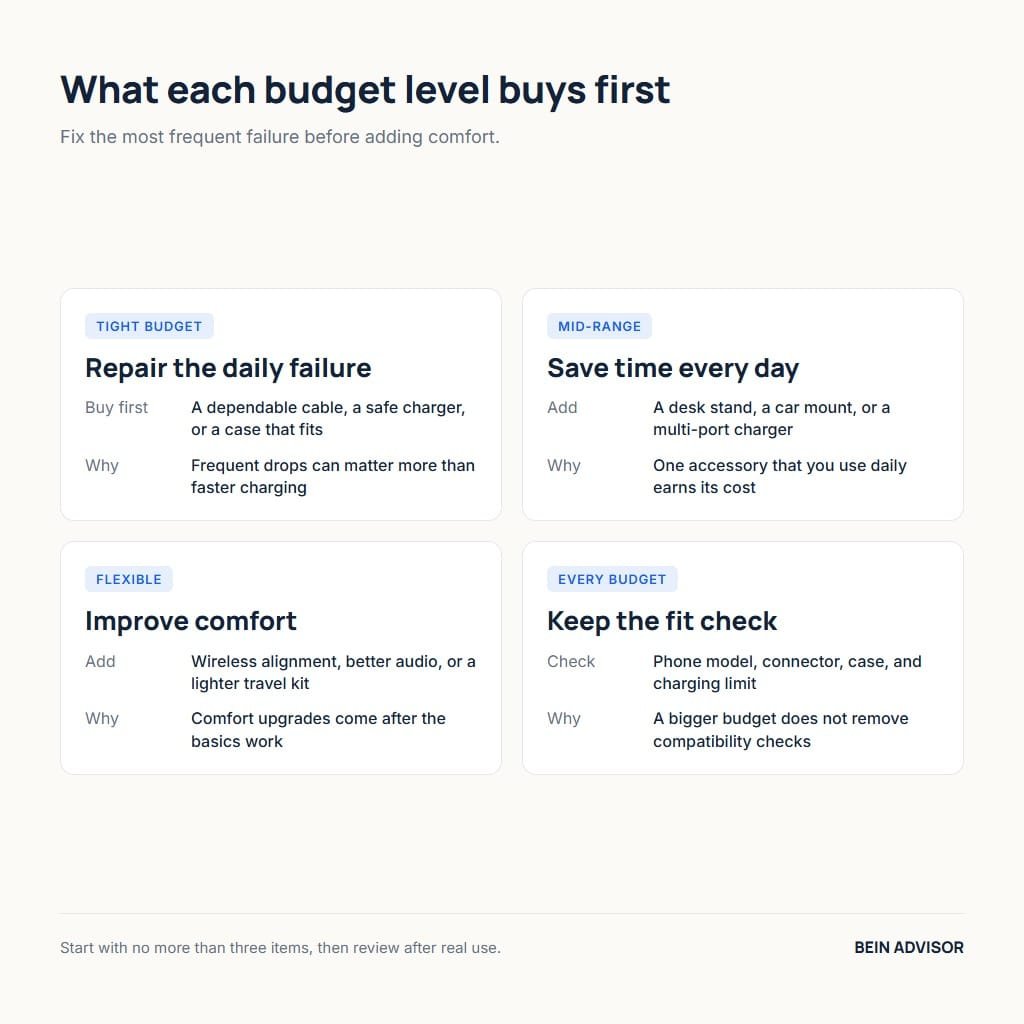
On a tight budget, repair the most frequent failure first. That may mean a dependable cable, a safe charger, or a case that fits correctly. For example, if drops are common, protection can be more valuable than a faster charging upgrade. At a mid-range budget, add the accessory that saves time every day: a stand for a desk, a mount for a car, or a multi-port charger for several devices. A flexible budget can improve comfort through wireless alignment, better audio, or a lighter travel kit, but it still does not remove compatibility checks. In each case, choose mobile accessories for the problem they solve rather than for how they look.
Use three questions to control the list. First, what problem does the item solve? Next, how often will it be used? Finally, what happens if it fails? If the answer is vague, delay the purchase. A discount is not a saving when the product stays unused, and a higher capacity is not automatically better when it adds weight or takes too long to refill. Write a first basket of no more than three items, use it for a short period, and only then decide whether another accessory improves the routine. As a result, the list of mobile accessories stays tied to evidence.
For a deeper look at commerce-platform claims, read BeIN ADVISOR’s ecommerce platform comparison. In addition, for a related example of matching a device to a real use case, see the guide to portable photo printers. Then verify the technical point itself through the USB-IF Power Delivery reference, the Qi certification information, or the Bluetooth LE Audio overview. These references help separate a documented standard from a vague store claim.
A Practical Buying Order
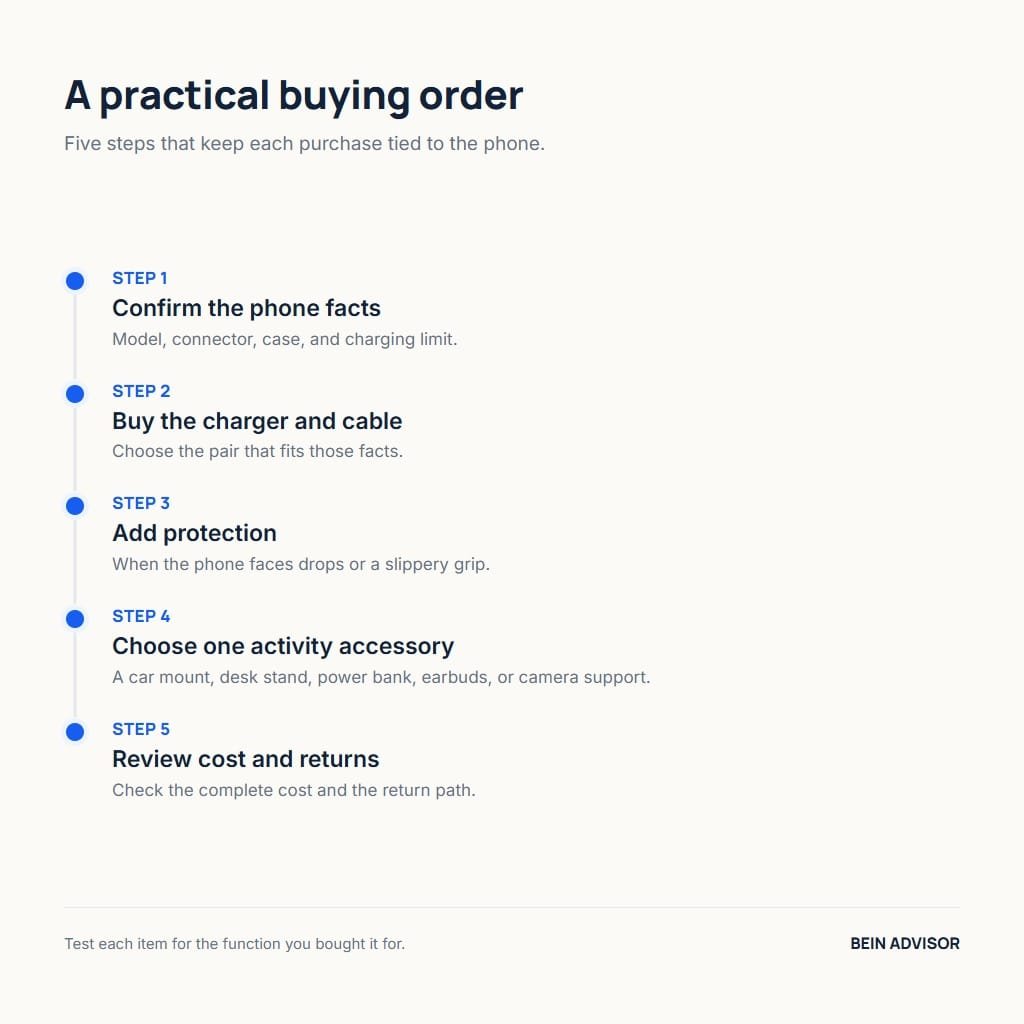
Use this order when you want a small, defensible kit. First confirm the phone model, connector, case, and charging limit. Next buy the charger and cable that fit those facts. Then add protection if the device is exposed to drops or a slippery grip. After that, choose one activity accessory: a car mount, desk stand, power bank, earbuds, or camera support. Finally, review the complete cost and return path. As a result, this sequence keeps mobile accessories connected to the phone instead of letting each product page dictate the next purchase.
Before you keep an accessory, test the exact function you bought it for. Check charging stability, fit with the case, viewing angle, microphone clarity, or grip security. If the item creates a new problem, use the return window rather than compensating with another purchase. A useful phone kit should reduce decisions during the day. It should not require a growing collection of adapters, brackets, and replacement parts to stay usable.
Five Mobile Accessories Worth Checking First
As an Amazon Associate, BeIN ADVISOR earns from qualifying purchases.
The mobile accessories below are examples that match the checks in this guide. However, no single product fits every phone, so run the compatibility audit before you order any of them. In addition, each pick covers one layer of the kit: power, backup power, viewing, audio, or filming.
Anker Nano 30W USB-C Charger
In fact, this compact, foldable charger delivers up to 30W through one USB-C port. For example, among compact mobile accessories it suits a phone-only desk or a travel pouch where size matters more than extra ports. However, check your phone’s own charging limit first, because a 30W charger cannot push a phone past what it accepts. In addition, pair it with a cable whose rating is stated on the listing.
Anker 10,000mAh Power Bank
A 10,000mAh battery is a practical size for commuting and short trips. As a result, it adds backup power without the weight of a larger pack. That said, compare its output ports with the other mobile accessories you carry. In addition, test how long the bank itself takes to refill before you depend on it away from a socket.
Lamicall Adjustable Phone Stand
Desk mobile accessories should adjust, and this stand changes both height and angle for video calls. Therefore, test it with your case installed and confirm that the charging port stays open. In contrast, a fixed-angle stand may look tidy but leave the screen too low for comfortable viewing.
soundcore P20i Wireless Earbuds
These budget earbuds are an example of a plain, clearly documented model. However, the Bluetooth version on the listing does not tell you which audio features your phone will use. Therefore, check the fit, the microphone, and the return policy before you rely on them for long calls.
UBeesize 62-Inch Phone Tripod
Among creator mobile accessories, this tripod doubles as a selfie stick and includes a wireless remote. As a result, it covers the first creator need in this guide: a steady shot. Similarly, check the phone clamp against your case, as you would with any mount. In addition, test its stability at full height before you add a light or a microphone.
Mobile Accessories Final Checklist
- Confirm the exact phone model and connector.
- Check the case against the charger, mount, and stand.
- Read the charging protocol and the wattage together.
- Check the cable rating along with the charger.
- On shared chargers, read the per-port output table.
- Confirm audio features on both the phone and the accessory.
- Save the variant, seller, standard, and return terms.
- Add up shipping, adapters, and returns before ordering.
Build Your Mobile Accessories Kit One Problem at a Time
Ultimately, mobile accessories earn their place when they solve a problem you can name. Therefore, start with the phone itself: its model, connector, case, and charging limit decide which charger, cable, or mount will work. For example, a charger that matches the phone’s protocol will serve you longer than a higher number on the box. In addition, test a case and a stand together, because each changes how the other fits. As a result, most of the surprises in this guide disappear before the order is placed.
In addition, buy mobile accessories in a clear order, and give each purchase a week of real use before adding the next. Consequently, your budget goes to items that stay in your bag. In fact, the right kit is small, compatible, and easy to replace one piece at a time. That said, needs change when the phone or the routine changes, so repeat the compatibility audit after every upgrade. Therefore, bookmark this guide, run the checklist against your next listing, and share it with someone who is about to order a first charger.