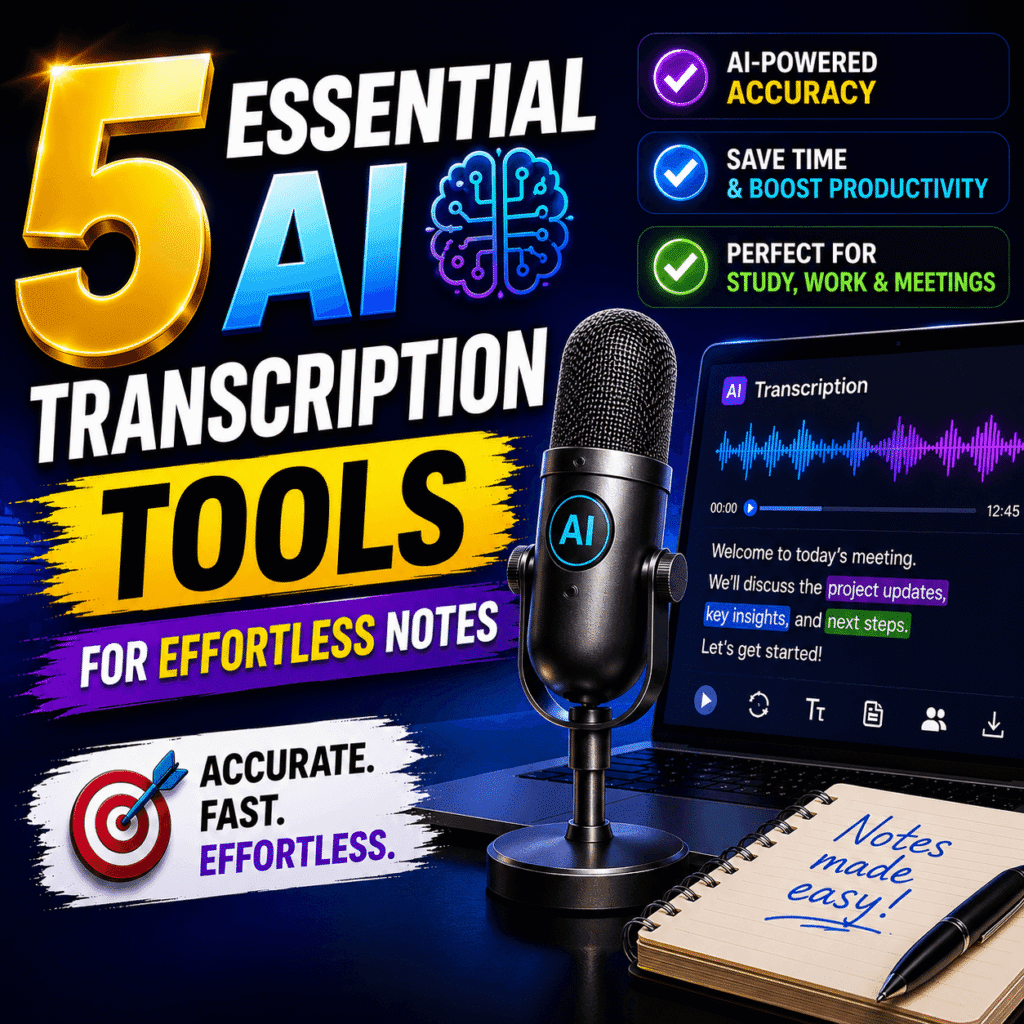
AI transcription turns hours of audio and meetings into accurate text in minutes. For students, journalists, and busy teams, a good AI transcription tool removes one of the most tedious chores of the workday. These tools listen to recordings, identify each speaker, and produce searchable notes automatically. The best options now reach accuracy that rivals a careful human typist. As a result, you reclaim time once lost to manual note-taking.
Choosing the right tool matters because accuracy, speed, and price vary widely. A weak service produces messy text that takes longer to fix than to retype. A strong one delivers clean transcripts, speaker labels, and easy editing in one place. Moreover, many tools now join your video calls and write the minutes for you. For anyone who records lectures, interviews, or meetings, this technology is a genuine time-saver. The trick is matching the tool to your specific workflow.
This article reviews five essential AI transcription tools and explains how to pick the best one for you. You will see how the technology works, which features matter most, and what each tool does well. Furthermore, it covers our selection criteria and practical tips for cleaner results. Each pick was assessed on accuracy, language support, features, and value. By the end, you will know exactly which tool fits your budget and your daily tasks.
1. What AI Transcription Is and How It Works
AI transcription is the automatic conversion of spoken audio into written text using machine learning. Instead of a person typing every word, a trained model recognizes speech and writes it out. Modern systems handle different accents, background noise, and multiple speakers with growing skill. They also add punctuation, timestamps, and speaker names automatically. Understanding how this works helps you set realistic expectations and pick the right tool. Once you grasp the basics, the differences between services become much easier to judge.
1.1 How AI Transcription Works
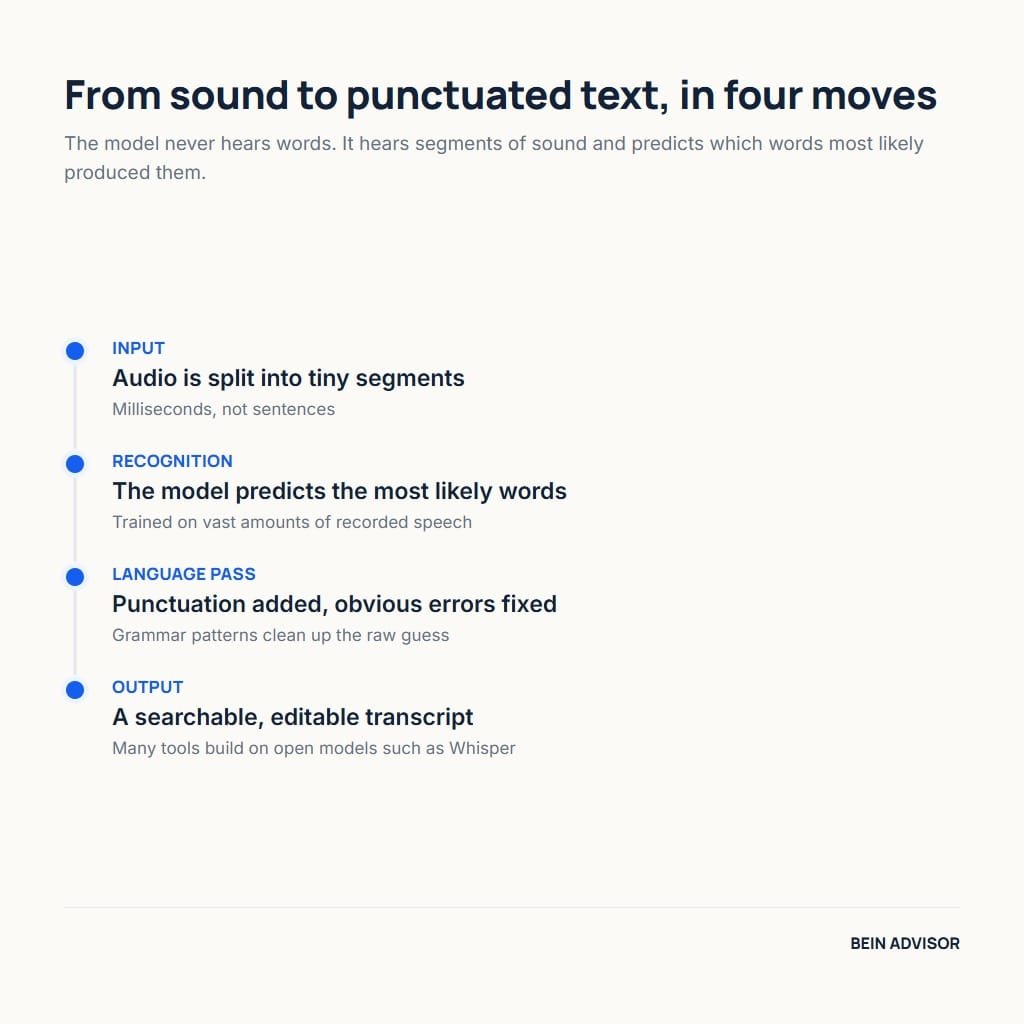
Behind the scenes, AI transcription relies on a speech-recognition model trained on vast amounts of audio. The model breaks sound into tiny segments and predicts the most likely words. It then uses language patterns to add punctuation and fix obvious errors. Many leading tools build on open models such as OpenAI’s Whisper, which transcribes many languages well. As a result, accuracy has improved dramatically in just a few years. The process that once took an hour of typing now finishes in moments.
Clear input still produces the best output, so audio quality matters a great deal. A clean recording with little background noise gives the model the strongest signal. Meanwhile, crosstalk and echo can lower accuracy and confuse speaker labels. Most tools let you upload files or connect directly to a video call. After processing, you receive an editable transcript you can search, highlight, and export. Therefore, a few seconds of setup often saves hours of cleanup later.
1.2 Why AI Transcription Saves Time
The biggest benefit of AI transcription is the sheer time it returns to you. Typing a one-hour interview by hand can take four hours or more. A capable tool delivers a first draft of that same hour in minutes. You then spend a little time correcting names and tricky terms. As a result, a task that once ate an afternoon now fits into a coffee break. For students and professionals alike, that saved time is the real value.
Beyond speed, transcripts make your recordings genuinely useful. Searchable text lets you jump to any moment instead of scrubbing through audio. Meanwhile, written notes are easier to share, quote, and store than raw files. Many freelancers fold this into their services, much like a growing freelance agency streamlines its workflow. Course creators also repurpose transcripts into lessons and articles. In turn, one recording becomes many valuable assets with very little extra effort.
2. How We Chose the Best AI Transcription Tools
Not every AI transcription service deserves your time or money, so clear criteria matter. We focused on the factors that affect daily use rather than flashy marketing claims. Accuracy came first, since a messy transcript defeats the entire purpose. We also weighed language support, useful features, integrations, and honest value for the price. Each tool below was judged against these same standards for a fair comparison. The subsections explain exactly what we looked for and why it matters to you.
2.1 Accuracy and Language Support
Accuracy is the single most important quality in any transcription tool. A service that reaches ninety percent accuracy still leaves many errors to fix. The leading tools now clear that bar comfortably on clear audio. We tested how each one handled accents, technical terms, and overlapping speech. As a result, the picks below cope well with real-world recordings, not just studio audio. Higher accuracy means less editing and far more trust in the final text.
Language support is equally important for many users around the world. Some tools shine in English yet struggle with other languages or dialects. Others, including several Whisper-based services, handle dozens of languages well. We favored tools that transcribe Arabic and mixed-language audio with reasonable accuracy. Moreover, strong language coverage future-proofs your choice as your needs grow. For bilingual teams and students, this factor can outweigh almost everything else.
2.2 Features, Integrations, and Pricing
Beyond raw accuracy, the right features turn a transcript into real productivity. Speaker labels, timestamps, and keyword search make notes easy to use. Many tools also generate summaries and action items from a meeting automatically. We valued clean editing, simple export options, and reliable speaker detection. As a result, the picks below do more than dump text on a page. They help you act on what was said, not just record it.
Integrations and pricing decide how well a tool fits your routine. The best services connect to Zoom, Google Meet, and your storage apps without friction. Meanwhile, fair pricing and a usable free tier let you test before you commit. We checked whether paid plans deliver genuine value for heavier users. For example, a small monthly fee is easy to justify when it saves hours weekly. Therefore, we balanced cost against the real time each tool gives back.
3. The Best AI Transcription Tools Compared
The market offers many AI transcription tools, yet a handful stand clearly above the rest. The five below each excel in a particular situation, from live meetings to podcast editing. We grouped them by their strongest use case so you can match one to your needs. Each entry covers what the tool is, how it works, and who it suits best. Prices and plans change over time, so always confirm the current tier before you buy. With that in mind, here are our top picks and what makes each one worth considering.
3.1 Otter.ai — Best for Live Meetings
Otter.ai is one of the most popular AI transcription tools for meetings and lectures. It joins your video calls directly and writes a live transcript as people speak. The clean interface and instant notes have made it a favorite among students and teams. Its free tier is generous enough for casual users to get real value.
In practice, Otter shines at real-time capture and quick summaries. It labels speakers, highlights keywords, and produces a short recap after each meeting. The mobile app records lectures on the go and syncs them to your account. Integrations with Zoom, Google Meet, and Microsoft Teams make it almost automatic. However, its accuracy is strongest in English and weaker with other languages.
Overall, Otter suits anyone who lives in back-to-back meetings or classes. Students, managers, and remote teams will gain the most from its live notes. The main trade-off is that heavy users need a paid plan for longer recordings. For English-first meeting capture, though, it remains a reliable and friendly choice.
3.2 Fireflies.ai — Best for Teams
Fireflies.ai is built for teams that need shared, searchable meeting records. It sends an AI notetaker into your calls and stores every transcript in one workspace. Colleagues can then search, comment on, and revisit conversations long after they end. This focus on collaboration sets it apart from simpler personal tools.
The platform records, transcribes, and analyzes calls across many meeting apps. It creates summaries, tracks action items, and even reports talk-time for each speaker. Integrations with CRMs and project tools push notes straight into your workflow. Additionally, a knowledge base lets teams search across all past meetings at once. These features make it a genuine hub for spoken information.
Fireflies suits sales teams, agencies, and any group that meets constantly. Its shared archive prevents knowledge from vanishing once a call ends. The trade-off is that solo users may not need its collaborative depth. For a busy team, however, that shared memory quickly becomes indispensable.
3.3 Descript — Best for Editing
Descript blends AI transcription with powerful audio and video editing in one app. It transcribes your recording, then lets you edit the media by editing the text. Delete a sentence in the transcript, and the matching audio disappears too. This approach has made it a favorite among podcasters and video creators.
The tool packs in features that go far beyond plain transcription. It removes filler words, fixes mistakes with voice cloning, and exports polished media. Meanwhile, its accuracy on clear audio is strong and improving steadily. Collaboration features let teams comment and edit projects together online. For content creators, this all-in-one design saves switching between several programs.
Descript is the clear pick for podcasters, YouTubers, and course makers. Anyone who edits spoken content will love editing audio as easily as a document. The trade-off is a learning curve, since it does far more than transcribe. For creators who publish regularly, that extra power is well worth the effort.
3.4 Rev — Best for Accuracy
Rev is known for accuracy because it offers both AI and human transcription. The automated option is fast and affordable for everyday recordings. When you need near-perfect text, you can order a human-reviewed transcript instead. This flexibility makes Rev a trusted choice for legal, medical, and research work.
The AI service returns transcripts quickly at a low per-minute price. Meanwhile, the premium human service reaches accuracy that machines still cannot match. Rev also provides captions and subtitles for video in many formats. A clean web editor lets you fix and export the text with ease. This pairing of speed and precision is its defining strength.
Rev suits professionals who cannot afford transcription errors. Journalists, lawyers, and researchers value its human-checked option most. The trade-off is that human transcripts cost more and take longer to deliver. For high-stakes audio, though, that extra accuracy is worth every cent.
3.5 Sonix — Best for Multilingual Audio
Sonix stands out for strong multilingual AI transcription across many languages. It transcribes, translates, and subtitles audio in dozens of tongues. This breadth makes it ideal for international teams and bilingual creators. Its polished editor keeps the workflow simple despite the advanced features.
The platform pairs accurate transcription with helpful automation. It adds timestamps, speaker labels, and automated summaries to every file. Built-in translation turns one recording into subtitles for global audiences. Meanwhile, integrations and an open API help teams build it into larger systems. For mixed-language content, this versatility is genuinely rare.
Sonix is the best fit for users who work across several languages. Global businesses, translators, and multilingual researchers will value it most. The trade-off is that its pay-as-you-go pricing can add up with heavy use. For international work, however, its language range is hard to beat.
4. How to Choose the Right AI Transcription Tool
With several strong options available, the best AI transcription tool is the one that fits your routine. Your ideal pick depends on what you record, how often, and in which languages. A podcaster has very different needs from a sales team or a student. Price, accuracy, and integrations all weigh into the final decision. Rather than chasing the longest feature list, match the tool to your real tasks. The subsections below help you choose wisely and get cleaner results from day one.
4.1 Match the Tool to Your Workflow
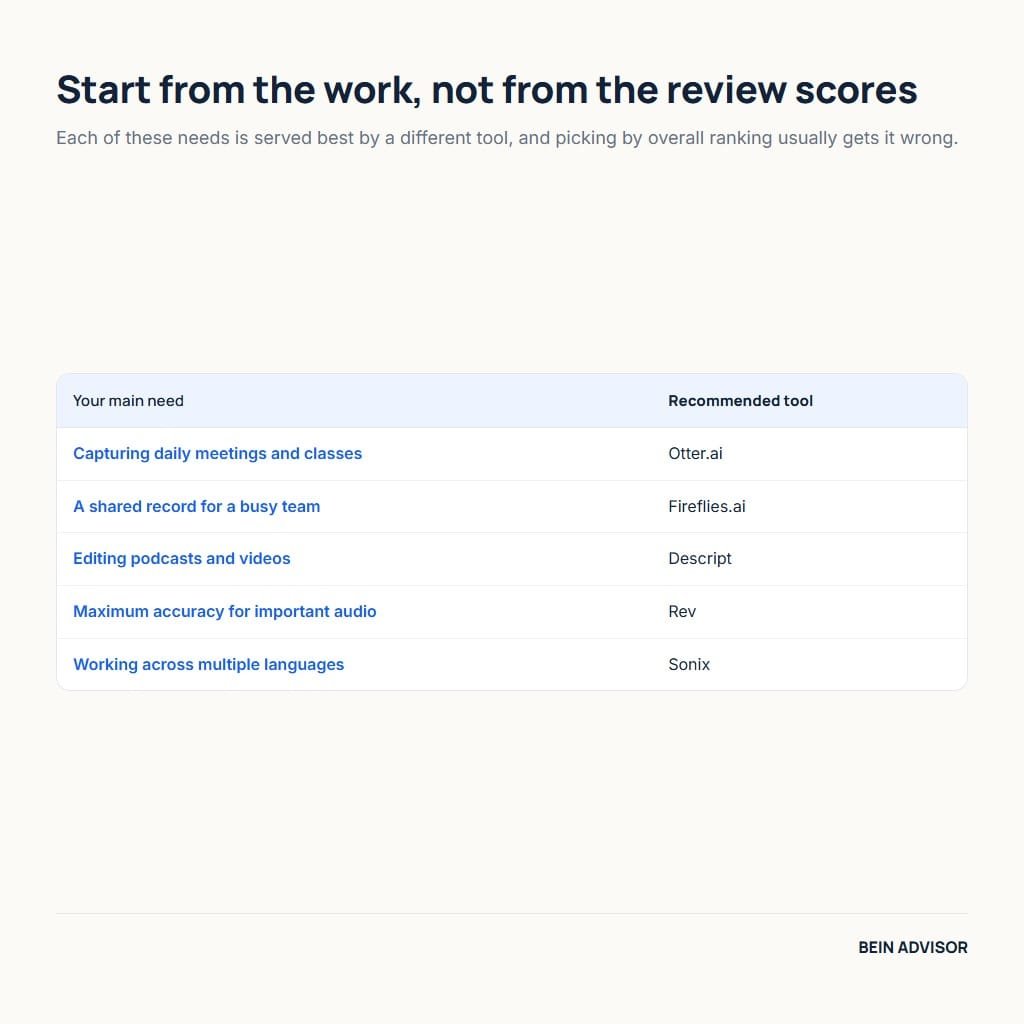
Start by describing your most common transcription task honestly. If you live in meetings, a live notetaker like Otter or Fireflies fits best. If you edit podcasts, Descript saves the most time by far. For high-stakes accuracy, Rev’s human option is the safer bet. Meanwhile, multilingual work points clearly toward Sonix. Matching the tool to your main job prevents paying for features you never touch.
Next, weigh volume, budget, and the languages you actually use. Light users often thrive on a generous free tier without paying anything. Heavy users should compare per-minute and monthly plans carefully for value. Bilingual teams must confirm real accuracy in each language they need. Additionally, check that the tool connects to the apps you already rely on. A short free trial quickly reveals whether a service truly fits your day.
4.2 Getting the Best Results from AI Transcription
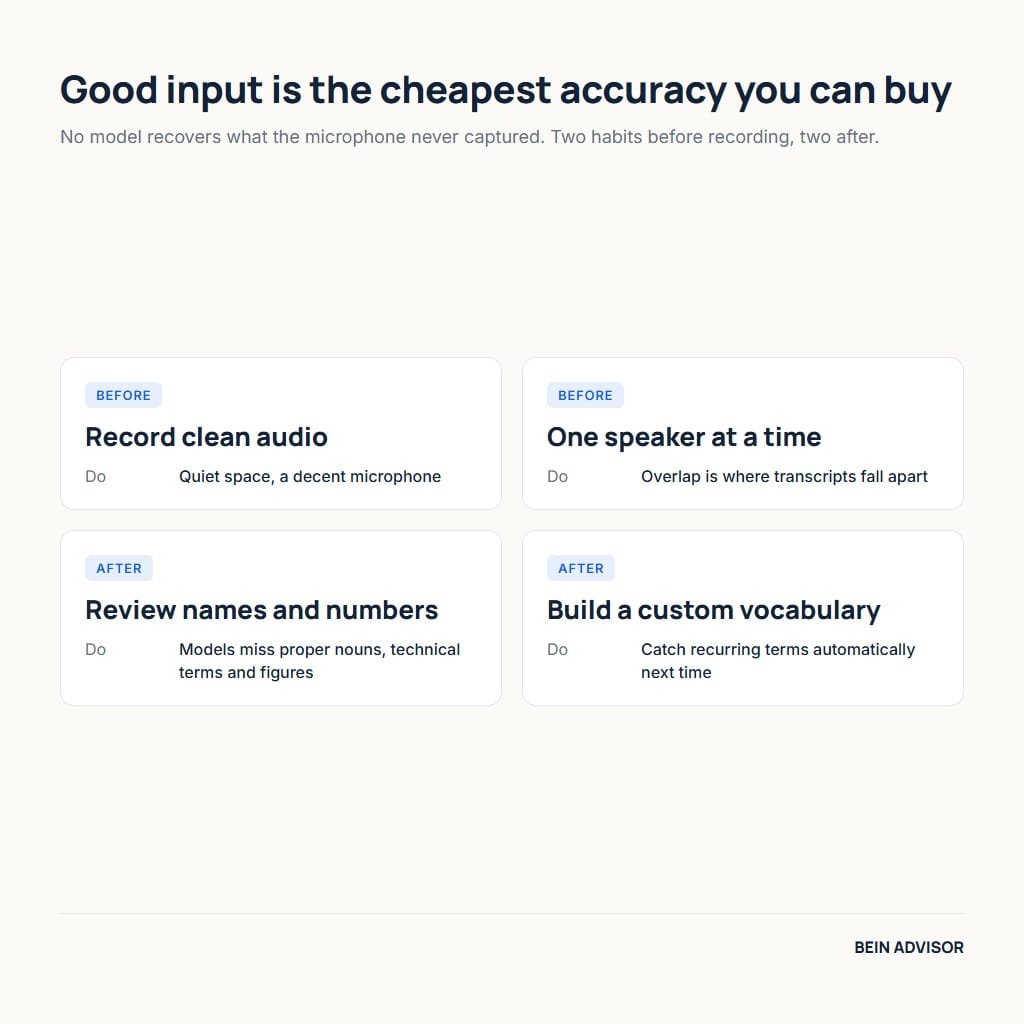
A few simple habits dramatically improve any AI transcription result. Record in a quiet space and use a decent microphone whenever possible. Ask speakers to talk one at a time to reduce confusing overlap. Clear audio gives the model its best chance at high accuracy. As a result, you spend far less time fixing errors afterward. Good input is always the cheapest way to better output.
After transcription, a quick review polishes the text for real use. Scan for names, technical terms, and numbers, which models often miss. Many tools let you build a custom vocabulary to catch these automatically. Meanwhile, saving a template for summaries speeds up repeated tasks. Course creators can then turn clean transcripts into lessons, much like building an online course from existing material. With these habits, your transcripts become reliable, reusable assets.
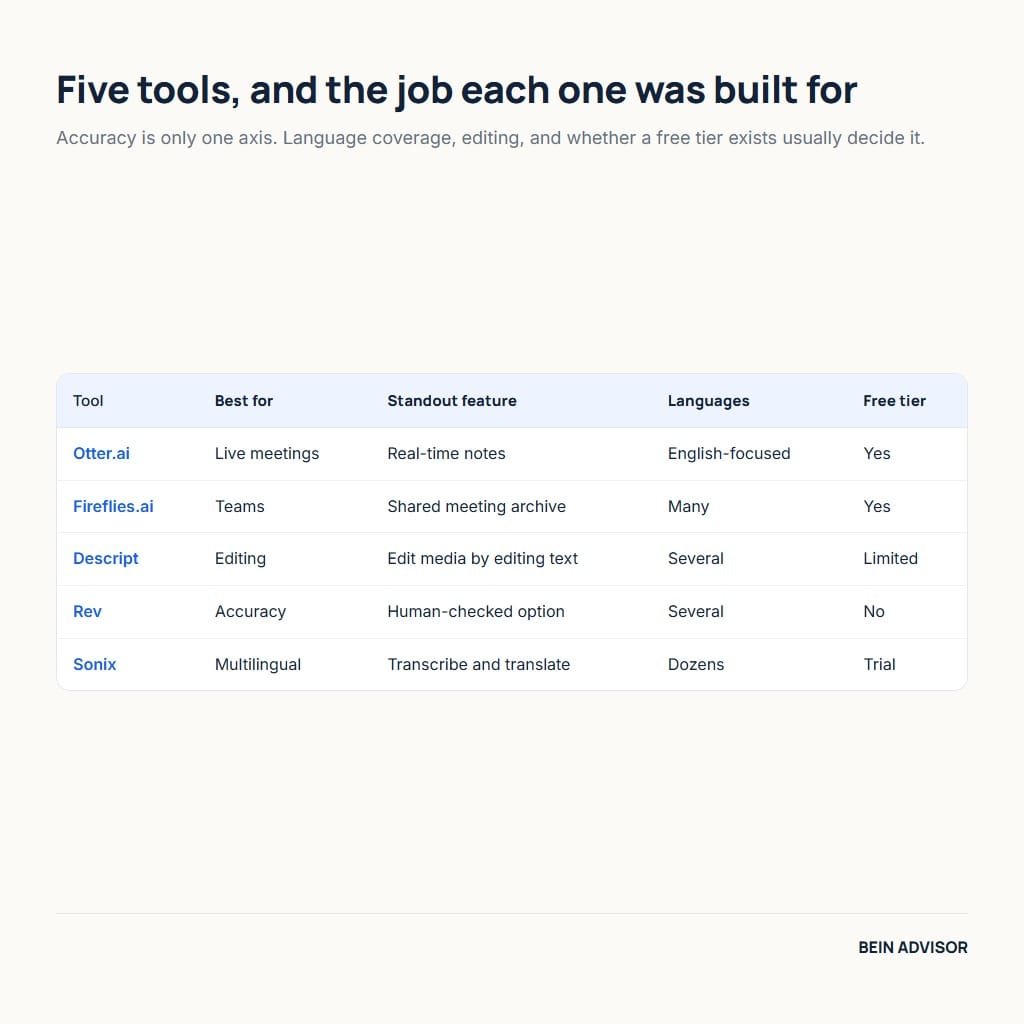
| Tool | Best For | Standout Feature | Languages | Free Tier |
|---|---|---|---|---|
| Otter.ai | Live meetings | Real-time notes | English-focused | Yes |
| Fireflies.ai | Teams | Shared meeting archive | Many | Yes |
| Descript | Editing | Edit media via text | Several | Limited |
| Rev | Accuracy | Human-checked option | Several | No |
| Sonix | Multilingual | Transcribe + translate | Dozens | Trial |
| Your Main Need | Recommended Tool |
|---|---|
| Capturing daily meetings and classes | Otter.ai |
| A shared record for a busy team | Fireflies.ai |
| Editing podcasts and videos | Descript |
| Maximum accuracy for important audio | Rev |
| Working across multiple languages | Sonix |
Conclusion: AI Transcription — Choose the Tool That Fits You
AI transcription has quietly become one of the most practical tools of modern work. The five picks in this article cover live meetings, team collaboration, editing, accuracy, and multilingual audio. Each one turns hours of recordings into clean, searchable text in minutes. The best choice is simply the one that matches your tasks, languages, and budget. Start with a free tier, test it on a real recording, and judge the results yourself. That small experiment quickly shows which tool belongs in your daily routine.
Whichever you pick, good AI transcription will give you back hours every week. Record clean audio, review the draft, and reuse the text in new ways. Students gain searchable lectures, teams keep a shared memory, and creators repurpose every word. The technology keeps improving, so accuracy and features will only get better. There has never been a better time to let software handle the typing. Try one of these tools today and reclaim the time you spend taking notes.