
Two blogs on identical hosting can load at very different speeds. The difference usually sits in the theme rather than the server. A WordPress theme controls how much code reaches the browser, how many files load before text appears, and how much of that work is wasted on features the blog never uses. Choosing badly costs speed permanently, and switching later costs a rebuild.
Most theme galleries sort by appearance, which is precisely the wrong first filter. Appearance can be changed with settings and a little CSS. Underlying weight cannot, because it is baked into how the theme was built. Additionally, the heaviest themes tend to look the most impressive in demos, since demo pages showcase sliders, animations, and effects that each carry a cost. That inversion is why so many blogs launch slow.
This article covers what actually makes a theme fast, three free options that hold up, how their limits differ, how to match one to your content, and the setup that protects the result. Every option here has a genuinely usable free version, so nothing below requires a purchase to test. Consequently you can verify the conclusions on your own site within an afternoon rather than trusting a ranking.
1. What Makes a WordPress Theme Fast
Speed in a theme comes down to how much the browser must do before showing text. Three factors dominate: the total weight of stylesheets and scripts, how many of those files block rendering, and whether the theme loads assets it does not need on a given page. A well-built theme ships a small core and adds only what each page uses. In contrast, a heavy theme loads its entire feature set everywhere, including on a plain article that uses none of it.
1.1 Code Weight and Render Blocking
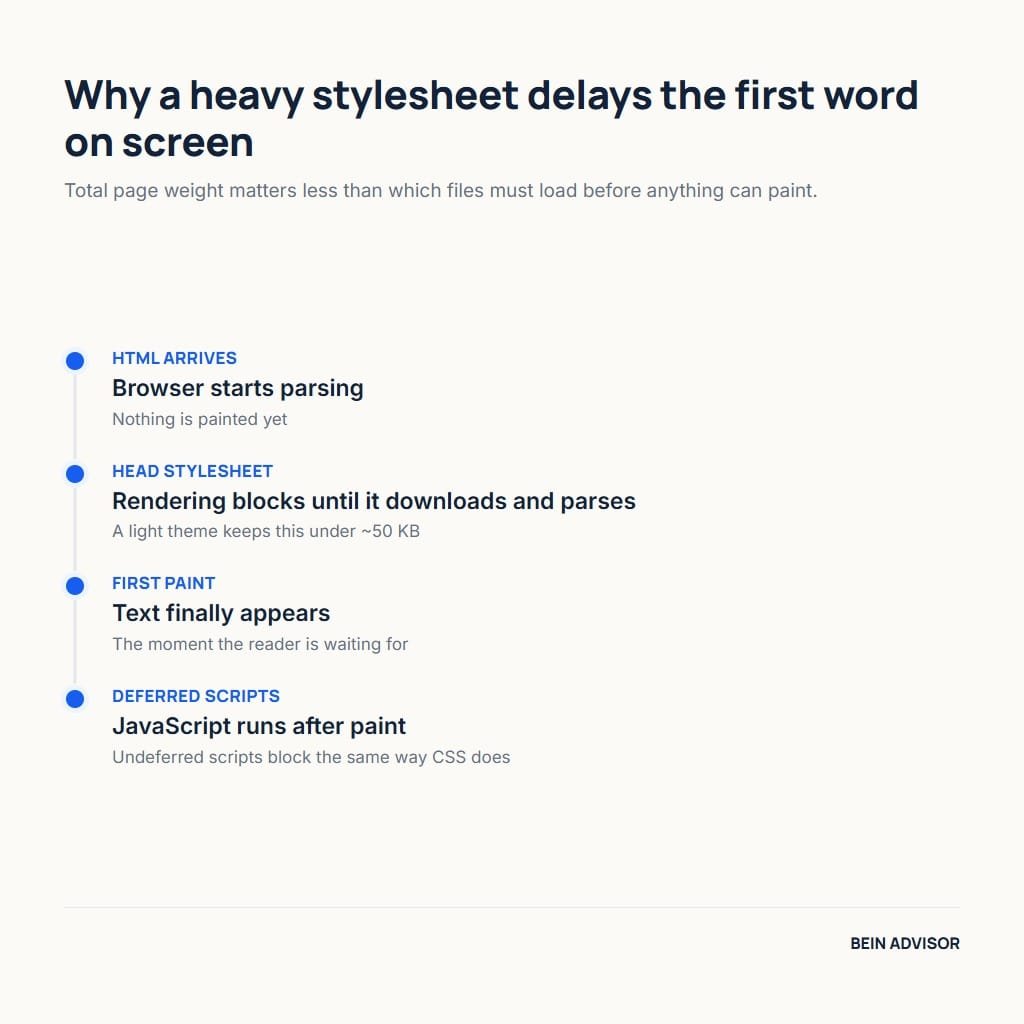
Total page weight matters less than which files must load first. A stylesheet in the document head blocks rendering until it downloads and parses, so a large one delays the moment text appears. Scripts behave similarly unless deferred. Lightweight themes therefore keep their base stylesheet small, often under fifty kilobytes, and defer anything non-essential. Additionally, they avoid loading icon libraries and font files that a given page never displays, which is a common and entirely avoidable cost.
Font handling deserves specific attention because it affects both speed and stability. Themes that load several font weights from an external service add network requests before text can render. Meanwhile a font swapping in late causes visible layout shift, which harms the stability metric Google measures. The better approach is to use system fonts by default and let the site owner opt into custom ones deliberately. Consequently a theme that defaults to system fonts starts ahead on two measurements at once.
1.2 WordPress Theme Bloat From Page Builders
Page builders are the largest single source of theme weight, and the relationship is often misunderstood. The builder is usually a plugin rather than the theme, yet many themes are designed around one and load its assets everywhere. That coupling means the blog inherits the builder’s cost even on pages built with the standard editor. Furthermore, removing the builder later frequently breaks layouts, because content is stored in builder-specific markup rather than in plain blocks.
For a blog specifically, the trade rarely favours a builder. Articles are text, headings, images, and the occasional table, all of which the standard block editor handles without additional weight. A builder earns its cost on landing pages with complex layouts, not on posts. Therefore the sensible arrangement is a light theme plus the standard editor for articles, adding a builder only for the few pages that need it. That structure keeps the cost where the benefit is.
2. Free WordPress Theme Options Worth Using
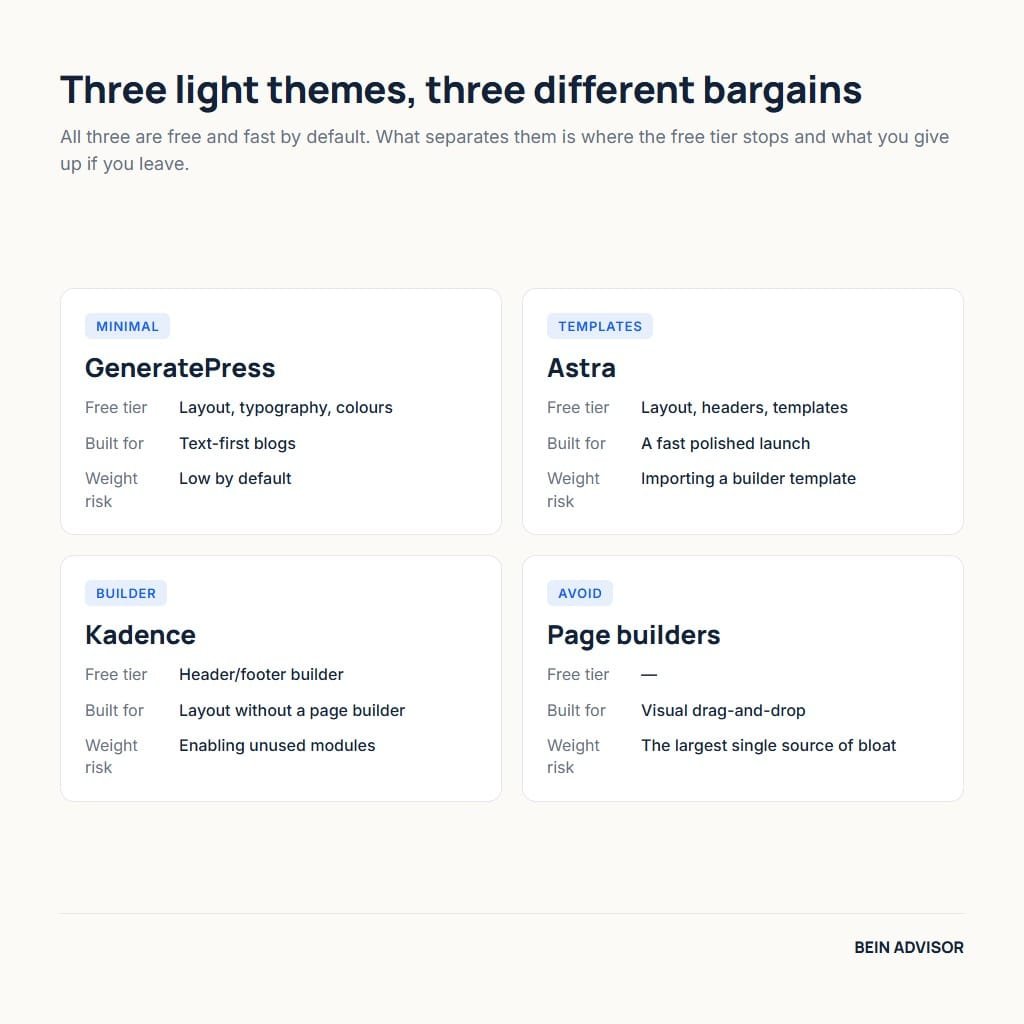
Three themes dominate serious recommendations for lightweight WordPress publishing, and all three offer free versions that are genuinely sufficient for a blog. They share a design philosophy: a minimal core with optional modules, rather than a large feature set enabled by default. What separates them is how much the free tier includes, how the settings are organised, and how far the premium version extends. Each is assessed below on those terms rather than on appearance.
2.1 GeneratePress
GeneratePress is built around minimalism as a principle rather than a marketing line. Its base stylesheet is among the smallest of any full-featured theme, and it loads no external fonts or icon libraries by default. The free version includes the layout, typography, and colour controls most blogs need. Consequently many sites run it without ever purchasing the premium add-on, which is unusual among themes that market a paid tier.
On specifics, the free tier covers site layout, header and footer configuration, blog display options, and full typography control. The premium version adds modules for site sections, advanced hooks, WooCommerce styling, and a larger template library, each of which can be disabled individually so unused code never loads. Additionally, the settings live in the standard customiser rather than a proprietary panel, which keeps the learning curve short for anyone familiar with WordPress.
This theme suits text-focused blogs where speed is the priority and design needs are modest. The main trade-off is that its free version looks deliberately plain out of the box, so reaching a distinctive appearance takes configuration work or a starter template. Therefore anyone wanting an impressive result within minutes may find it underwhelming initially. In contrast, for a publisher who intends to run the same site for years, that restraint is exactly what keeps it fast as content accumulates.
2.2 Astra
Astra takes a different route to the same goal: a light core paired with a very large library of ready-made starter sites. That library is the main reason it appears on so many installations, because it collapses the gap between a blank theme and a finished-looking site. The core loads a modest amount of CSS and avoids jQuery dependence, which keeps the baseline competitive with the lightest alternatives.
The free version includes layout controls, header options, and access to a substantial portion of the starter template library. Premium adds finer typography control, advanced header and footer building, and additional layout modules. Meanwhile the starter templates are built for specific page builders, which matters for weight: importing a template designed for a builder brings that builder’s assets with it. Furthermore, templates designed for the standard block editor exist and avoid that cost entirely.
This theme suits publishers who want a polished result quickly and are comfortable choosing templates carefully. The trade-off is that its greatest convenience is also its main risk, since importing a builder-based template reintroduces exactly the weight the theme was chosen to avoid. Consequently the recommendation is conditional: pick a block-editor template rather than a builder one. When that condition holds, it performs comparably to the lightest options while looking finished far sooner.
2.3 Kadence
Kadence sits between the other two, pairing a light core with a header and footer builder included in the free version. That builder is native to the theme rather than a separate plugin, so it adds structure without importing an external framework. For publishers who want control over layout without adopting a page builder, this arrangement is the theme’s distinguishing feature and the reason it has grown quickly.
Its free tier is more generous than most competitors, covering the header and footer builder, global colour and font settings, and a set of starter templates built for the block editor. The companion block plugin extends the standard editor with layout blocks rather than replacing it. Additionally, assets load conditionally, so a page that uses no advanced blocks does not download their styles. Premium adds hooks, additional templates, and commerce features on top.
This theme suits publishers who want layout flexibility while staying inside the block editor. The trade-off is a larger settings surface than the most minimal option, which takes longer to learn and offers more ways to add weight through enthusiasm. Therefore discipline matters more here than with a deliberately spare theme. For someone who wants both control and speed and will resist enabling everything, it delivers a strong balance that neither alternative quite matches.
3. Comparing WordPress Theme Options
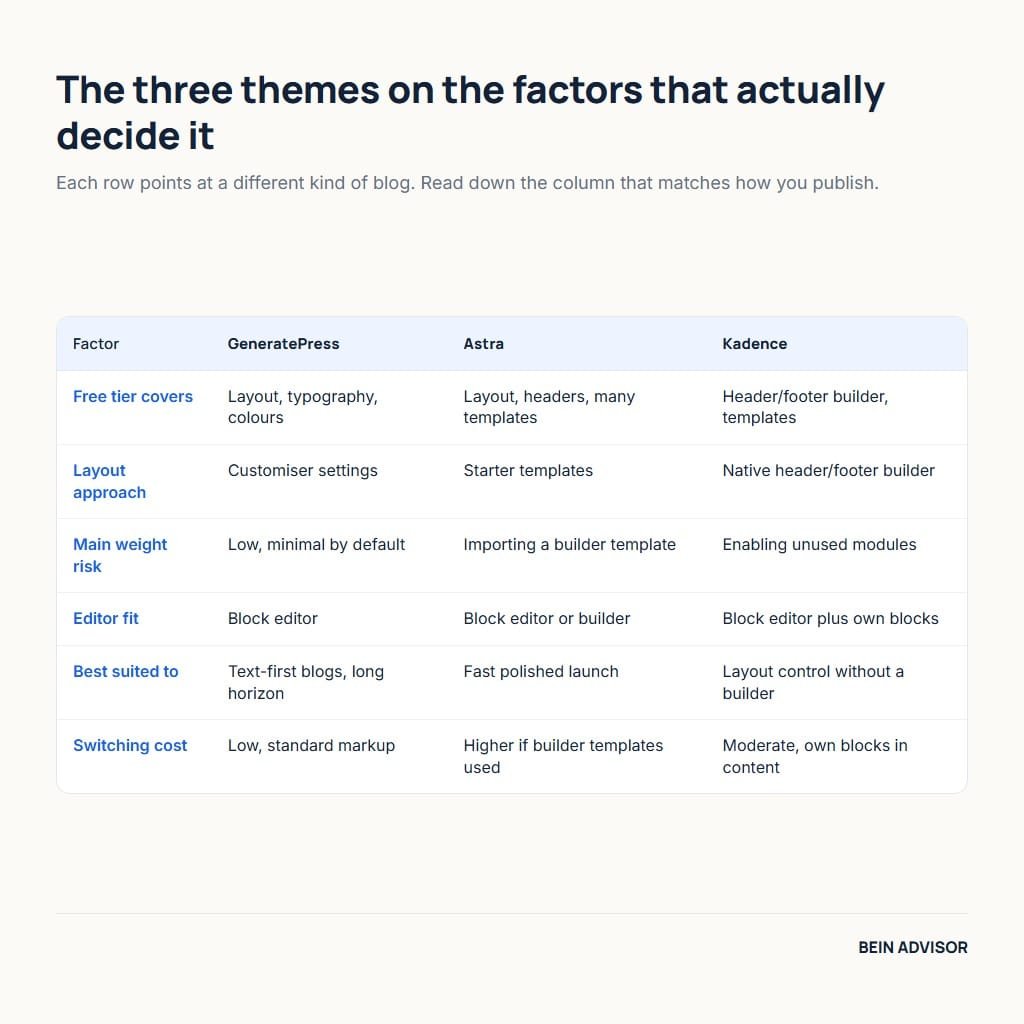
A comparison is only useful when it compares what you will actually notice. The table below sets the three themes against the factors that shape daily use: what the free tier covers, how the theme handles layout, where weight can creep back in, and how difficult switching away would be. Read it after deciding what your blog needs, since all three are fast enough that speed alone will not separate them.
| Factor | GeneratePress | Astra | Kadence |
|---|---|---|---|
| Free tier covers | Layout, typography, colours | Layout, headers, many templates | Header/footer builder, templates |
| Layout approach | Customiser settings | Starter templates | Native header/footer builder |
| Main weight risk | Low, minimal by default | Importing a builder template | Enabling unused modules |
| Editor fit | Block editor | Block editor or builder | Block editor plus own blocks |
| Best suited to | Text-first blogs, long horizon | Fast polished launch | Layout control without a builder |
| Switching cost | Low, standard markup | Higher if builder templates used | Moderate, own blocks in content |
3.1 Where the Free Versions Stop
Free tiers differ mostly in layout control rather than in speed. All three ship the same fast core regardless of tier, so a free installation is not a slower installation. What the paid versions add is finer control: conditional headers, advanced hooks for inserting content at specific points, and expanded template libraries. Consequently a blog with straightforward needs may never encounter the limit. In fact, many established sites run the free version indefinitely without friction.
The upgrade trigger is usually a specific requirement rather than general dissatisfaction. Wanting a different header on one section, inserting an element after the third paragraph of every post, or styling a shop consistently are the typical prompts. Therefore the sensible approach is to start free and upgrade when a concrete need appears. Buying premium at launch, before knowing which module you need, spends money on capability you may never enable and adds settings you must still learn.
3.2 Reading the Comparison Table
Start from the switching-cost row rather than the feature rows, because it is the one that binds you longest. A theme storing content in standard blocks lets you change your mind cheaply. Meanwhile a theme whose layouts depend on its own markup makes a later change into a rebuild of every affected page. Additionally, the weight-risk row deserves attention since it describes how each theme fails rather than how it performs at its best. Both rows describe your future more accurately than the feature list does.
Notice that no row ranks the themes overall, and that omission is deliberate. All three are fast, actively maintained, and widely used, so the decision genuinely comes down to fit. A publisher who wants minimum settings and maximum longevity chooses differently from one who wants a finished look this week. Consequently the correct reading is to find the row describing your constraint and follow it, rather than counting which column has the most favourable entries.
4. Choosing a WordPress Theme for Your Blog
Matching a theme to content works better than matching it to taste, because content type determines which features you will actually use. A text-heavy blog needs excellent typography and little else. A photography site needs image handling and gallery layouts. Meanwhile a site mixing articles with landing pages needs layout flexibility for a minority of pages. Identifying which description fits narrows three good options down to one obvious one.
4.1 Matching Theme to Content Type
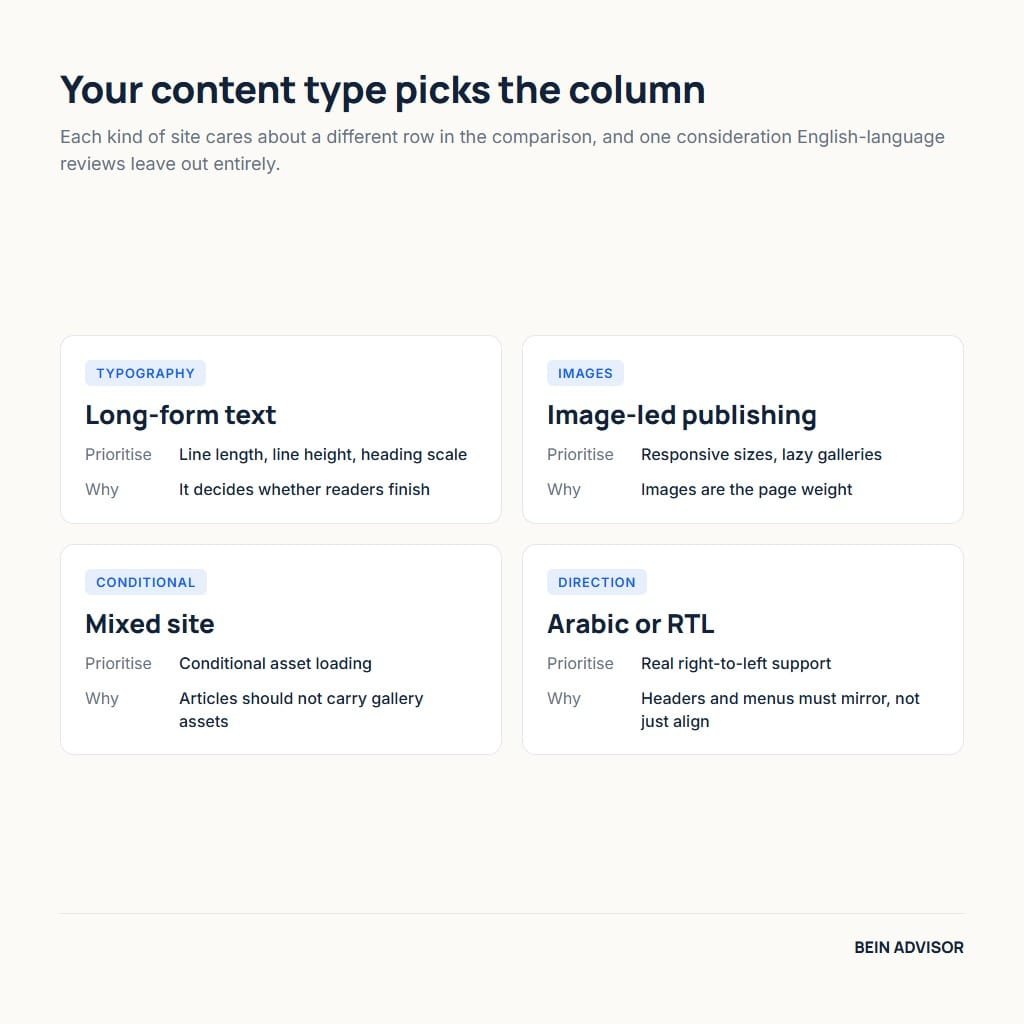
For long-form text, prioritise typography control above everything else. Line length, line height, and heading scale determine whether readers finish articles, and these settings are where a minimal theme concentrates its value. For image-led publishing, prioritise how the theme generates responsive image sizes and whether galleries load lazily. Furthermore, for sites mixing both, prioritise conditional loading so article pages do not carry gallery assets. Each priority points at a different column in the table above.
Language direction adds a consideration that English-language reviews omit entirely. A site publishing in Arabic needs solid right-to-left support, which not every theme implements carefully. Check that headers, menus, and sidebars mirror correctly rather than merely reversing text alignment. Additionally, verify that the theme’s typography settings allow a font stack suited to Arabic, since the defaults are chosen for Latin scripts. Testing this before committing takes minutes and prevents a problem that is awkward to fix afterwards.
4.2 Switching Cost and Lock-in
Theme lock-in works through content rather than through licensing. When layouts are built with blocks that belong to the theme or a builder, that markup lives inside your posts. Changing theme then leaves broken remnants across every affected page. In contrast, content written with standard core blocks displays correctly under any theme. Consequently the safest habit is to write articles in core blocks and reserve theme-specific blocks for a small number of landing pages you would rebuild anyway.
Child themes deserve a brief mention because they solve a narrower problem than people expect. A child theme protects custom code from being overwritten by updates, which matters when you edit template files. It does not reduce lock-in from content markup, and it is unnecessary when your changes are limited to settings and additional CSS. Therefore create one only if you intend to modify templates. Otherwise it adds a layer of complexity without addressing the risk that actually binds you.
5. Best Results From Your WordPress Theme
A fast theme sets a ceiling that configuration either preserves or wastes. Most slow sites run perfectly capable themes that have been loaded with fonts, sliders, and plugins until the advantage disappeared. The setup below protects the result, and it applies equally to all three options. Furthermore, none of it requires code, which means the speed you measure on day one can still be there after two years of publishing.
5.1 Setup That Protects Speed
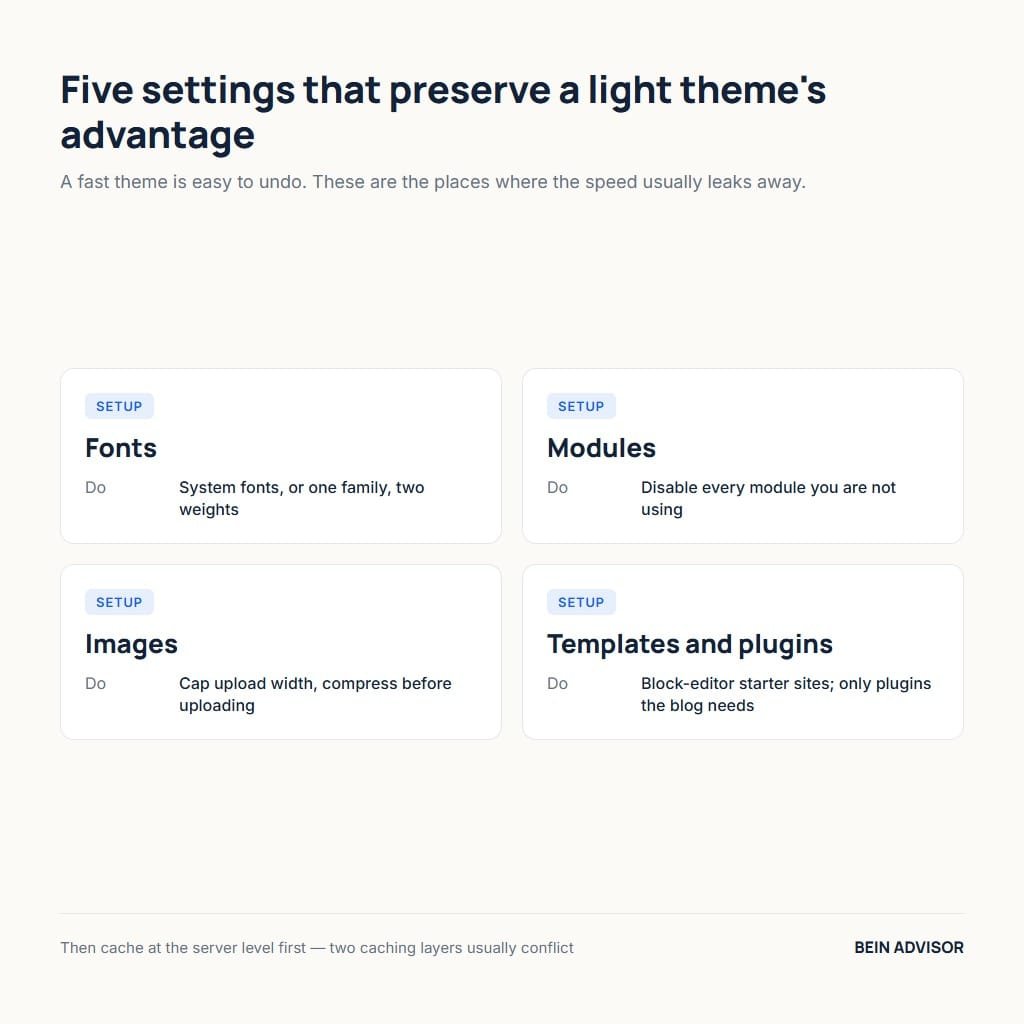
Five settings preserve most of a light theme’s advantage. Fonts: keep system fonts, or load a single custom family with at most two weights. Modules: disable every theme module you are not using, since each one loads assets. Images: set a sensible maximum upload width and compress before uploading. Templates: if importing a starter site, choose a block-editor version rather than a builder one. Plugins: add only what the blog demonstrably needs.
Caching completes the setup and belongs at the server level where possible. A theme that renders quickly still benefits from serving a cached page rather than rebuilding it per visit. Configure the host’s own cache first, then add a plugin only if gaps remain, since running two caching layers frequently causes conflicts rather than compounding gains. Our overview of caching options covers how to choose between them without duplication.
5.2 Habits That Keep the Blog Fast
Speed erodes through accumulation, and a quarterly review reverses most of it. Remove plugins installed for experiments that ended. Compress images uploaded before you set a workflow. Review which theme modules are enabled, since one turned on for a single page often stays on forever. Additionally, check that no second caching or optimisation plugin has crept in alongside the first. Each task takes minutes, and together they recover more speed than changing theme ever would.
Measurement keeps the review honest. Google’s Core Web Vitals set thresholds worth tracking: Largest Contentful Paint within 2.5 seconds, Interaction to Next Paint at or below 200 milliseconds, and Cumulative Layout Shift at or below 0.1. Layout shift in particular is usually a theme or font issue rather than a hosting one. Consequently a rising shift score points at configuration you can fix yourself, which is a far cheaper answer than upgrading a server.
Conclusion: A WordPress Theme You Will Not Replace
All three options are fast, free to start, and actively maintained, so the choice is about fit rather than quality. Choose the most minimal one when your blog is text-first and you plan to run it for years. Choose the template-rich one when looking finished quickly matters more than settings restraint. Meanwhile choose the middle option when you want layout control without adopting a page builder. A WordPress theme picked on those terms rarely needs replacing.
Install your first choice on a test site before committing your real one. Publish two sample articles, one plain and one with images and a table, then measure both. Ten minutes of that testing tells you more than any comparison, including this one. Afterwards, apply the five settings above and leave the theme alone. The time saved belongs in writing, which is the only part of a blog that no theme can improve for you.
Practical Books for WordPress Theme Speed
As an Amazon Associate, BeIN ADVISOR earns from qualifying purchases.
These books are optional study aids for theme structure and performance. They do not replace current WordPress requirements, a measured speed test, the theme’s own documentation, or a staging backup. Check the live listing and price before buying.
Ultimate WordPress Handbook: The listing presents a broad guide to designing WordPress websites, driving traffic, and improving revenue. It can help beginners connect theme choices with site structure, but it cannot guarantee speed, rankings, or income.

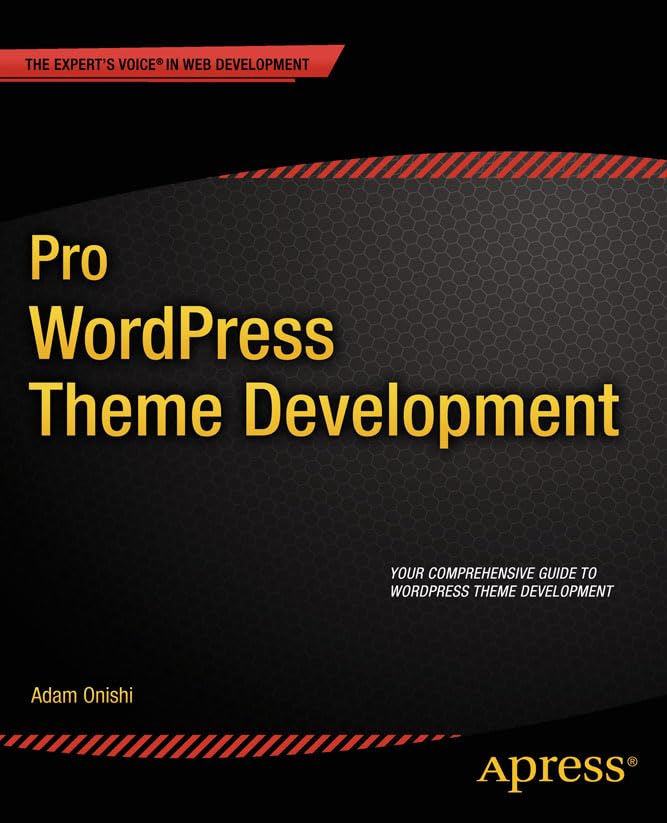
Pro WordPress Theme Development: The listing describes a development-focused guide for building WordPress themes. It suits readers who want to understand theme code and architecture; test every change in a staging copy and confirm compatibility with the current WordPress stack.
Learn to Create WordPress Themes by Building 5 Projects: The listing positions it as a project-based introduction to theme development. It may help with hands-on learning, but examples can age, so verify PHP, accessibility, security, and block-editor guidance before using them on a live site.

Use the books to build understanding, then judge a theme by measured field performance, maintainability, accessibility, and the quality of its updates.