
A new site owner types a keyword into a research platform. A paywall appears before a single number does. That moment sends most people looking for free SEO tools. The search usually ends in a list of forty names, with no sign of which ones matter. The honest answer is much shorter. Four or five free tools cover the work that moves a small site. The rest either duplicate them, or hand over data too thin to act on.
This article sets out which free SEO tools carry real weight. It covers what each one is genuinely good at. It also names the exact point where a free tier stops answering your question. Some of these tools come straight from Google and Bing. Their data is not an estimate at all. It is what the search engine recorded about your own pages. Others are trimmed versions of expensive platforms. They are generous enough to be useful, and limited in ways worth knowing early.
You will find the reverse case here too. Paid tools are not a scam. There is a specific size of site where paying becomes cheaper than working without them. Knowing where that line sits saves two things. It saves the wasted subscription, and the wasted month spent squeezing an answer out of software that was never going to give it.
1. What Free SEO Tools Can and Cannot Do
Search optimisation breaks into four separate jobs. Free software covers them very unevenly. Understanding your own site is the first job. Here the free options are not merely adequate — they are the best available at any price. Understanding search demand is the second. Free tools give you a usable but blurred picture of it. Understanding competitors is the third, and this is where free tiers thin out fast. Tracking your position over time is the fourth. That last one is what usually pushes a growing site toward a subscription. Sorting your question into one of those four buckets tells you immediately whether a free tool will answer it.
1.1 The Work Free SEO Tools Cover Well
Anything concerning your own property is fully covered without payment. Google and Bing both operate free consoles. These report what their crawlers found on your site. They show which pages entered the index, which were rejected, and why. They also list the queries that brought people to you. This is first-party data. A paid platform can only estimate those numbers by sampling the web from outside. The console is reading the search engine’s own records. For a site under a few hundred pages, that single source answers most daily questions.
Technical checks fall into the same category. Page speed, mobile rendering, structured data and broken internal links are all measurable for free. These measurements are not degraded versions of anything. For example, a speed report from Google’s own testing tool uses the same field data that feeds the ranking signal. Similarly, a free desktop crawler finds every redirect chain and missing title tag on a small site. The limit on free crawls is the number of URLs. A small site fits comfortably inside it.
1.2 Where Free SEO Tools Run Out
The wall appears the moment your question turns outward. Which pages on a competitor’s site earn the most traffic? Which sites link to them and not to you? Answering that needs a crawler that has already indexed a large share of the web. Building and maintaining that index is genuinely expensive. Consequently, every provider treats it as the thing you pay for. Free tiers do expose slices of it. However, the slices are small, and often capped at a handful of lookups per day.
Search volume is the second soft spot. Free keyword data is usually bucketed rather than exact. A term might be reported as somewhere between one thousand and ten thousand monthly searches. That range is fine when you are deciding whether a topic is worth covering. It falls apart when you are choosing between two similar terms. Both may sit in the same bucket while one gets four times the traffic. In practice, free volume data is a filter rather than a decision-maker.

2. How We Chose These Free SEO Tools
A shortlist is only useful if the reader knows what it was optimised for. This one was built for a specific site. It publishes regularly, holds fewer than a few hundred pages, and has nobody on staff whose job title contains the word “SEO”. That profile rules out several well-regarded platforms. Their free tiers are really extended trials. It also rules in a few unglamorous tools that do one job permanently and well. Every entry below cleared three tests. One deliberate exclusion is worth stating openly, rather than hiding behind a ranking.
2.1 The Criteria Behind the Shortlist
The first test was permanence. A free tier that expires in fourteen days is a trial. Building a weekly routine on top of it wastes the routine. Every tool listed here stays free indefinitely. Its limits are documented, rather than discovered when you hit them. Additionally, the account requirements had to be reasonable. Verifying ownership of your own domain is fair. Handing over a credit card to unlock a “free” plan is not. Tools requiring the latter were dropped, regardless of quality.
The second test was completeness. A tool that shows you a problem but hides the fix behind an upgrade prompt is an advertisement wearing a dashboard. In contrast, the tools below each close at least one loop fully. The third test was overlap. Two tools that report the same thing add work rather than insight. Where two options covered identical ground, only the one with the better free ceiling survived. As a result, the list is short by design. Every entry earns its place by doing something the others do not.
2.2 What This Assessment Ignored
Interface polish was ignored entirely. Several of the strongest free SEO tools look like internal software from a decade ago. One of them presents its most valuable report as a plain table, with no chart at all. That is irrelevant to whether the number in the table is correct. Marketing claims were ignored too. That includes every headline figure about database size. A larger index does not help if the free tier only lets you see ten rows of it.
One more exclusion deserves stating plainly. AI writing assistants and content generators were left out. Many are marketed as SEO software. However, they address a different problem, which is producing text. The question here is measurement, not production. Furthermore, mixing the two categories has a predictable result. Site owners end up with a large pile of published pages and no idea which of them earn anything. Measurement first, then production, is the order that makes both worth doing.
3. Free SEO Tools for Your Own Site’s Data
If you install only one thing from this article, make it a search console. These tools report what the search engine itself observed about your pages. That makes them categorically different from everything else on the list. They tell you which queries produced impressions. Beside each query sits the number of clicks it actually earned. The same reports also name the URLs the crawler refused to index, with the reason it gave. No paid platform can supply that, because no paid platform has access to it. In practice, this is where most of a small site’s real problems surface first. They usually appear weeks before traffic reflects them.
3.1 Google Search Console
Google Search Console is free, permanent, and unlimited for your own verified property. That already makes it the strongest entry here. Its performance report lists the queries your pages appeared for. Each one carries impressions, clicks, average position and click-through rate. Its indexing report is arguably more valuable. It names every URL Google chose not to index. It also states the category of the decision — a crawl error, a redirect, a canonical pointing elsewhere, or the ambiguous “crawled – currently not indexed”.
The data goes back sixteen months. That is enough to see a seasonal pattern. It is also enough to tell a genuine decline from a normal fluctuation. One real limit is worth knowing. The interface caps exports at one thousand rows. A site with wide query coverage therefore sees only the top slice, unless it pulls the data through the API. According to Google’s own documentation on Search Console, verifying the property is the only requirement. A DNS record or a file upload completes it.
It suits absolutely every site, which is rare enough to be worth saying. The main trade-off is that it is diagnostic rather than prescriptive. It will tell you a page has high impressions and a low click-through rate. Deciding whether that means a weak title or a mismatched search intent is yours to do. For that reason it pairs best with the keyword tools below. Those supply the missing half of the picture.
3.2 Bing Webmaster Tools
Bing Webmaster Tools is the entry most site owners skip. Skipping it costs more than it used to. Bing powers a meaningful share of desktop search. It now feeds several AI assistants as well. The traffic is real, even where the market share looks small. Meanwhile the tool itself is unusually generous. It includes a keyword research module, a site scan, and a backlink report. All three are free, and none carries the row caps that limit equivalent free tiers elsewhere.
Setup takes minutes. The platform can import a verified property directly from Google Search Console, rather than repeating the verification. Its site scan crawls your pages and reports the same class of faults a paid crawler finds. That covers missing titles, duplicate descriptions, broken links and slow responses. In fact, for a small site the scan is often the only crawler you need. That quietly removes a subscription from the budget.
It suits any site already using Google Search Console. The marginal effort is close to zero, and the reports differ enough to be worth reading separately. The honest trade-off is sample size. On a small site, the Bing query data can be thin. A keyword showing twelve impressions there may be doing far more work on Google. Read it as a supplementary view, not a replacement for the primary console.

4. Free SEO Tools for Keyword and Competitor Research
Once your own data is flowing, the next question points outward. What are people searching for, and who already answers them? This is the category where free and paid genuinely diverge. Expectations therefore matter. A free keyword tool will reliably tell you whether a topic has meaningful demand. It will also show you what related phrasings exist. It will not reliably rank two close alternatives against each other. Nor will it show the full set of pages a competitor ranks for. Used inside those limits, the two tools below cover far more ground than their price suggests.
4.1 Google Keyword Planner
Keyword Planner sits inside Google Ads. It is free to use without running a campaign, though you need an Ads account to reach it. Its data comes from the advertising side of Google, not from an external crawl. That makes it the closest thing to an authoritative volume source available at no cost. Enter a seed term and it returns related keywords. Each carries a monthly search range, a competition indicator, and the bid range advertisers are paying.
That bid range is the underused field. A keyword where advertisers pay heavily has commercial intent behind it. For a site earning through affiliate links or services, that is often more actionable than raw volume. However, the volume figures are bucketed for accounts not spending money. You see a range rather than a precise number. Additionally, Keyword Planner groups near-identical terms together. That hides the difference between singular and plural variants, which can matter for a title.
It suits anyone doing topic-level planning. Deciding which of five possible articles to write next is exactly its strength. The trade-off is the bucketing. The practical workaround is to use it for the shortlist only. After publication, let Search Console tell you which exact phrasing your page actually earns impressions for. Those two sources together beat either one alone.
4.2 Ubersuggest and Free Tiers of Paid Platforms
Ubersuggest occupies a middle position. It gives a small number of free searches per day. The interface is built for people who are not specialists. Enter a term and it estimates volume, gives a difficulty score, and suggests related keywords. It also lists the pages currently ranking. The difficulty score is the part worth having. Raw volume without a difficulty estimate leads new sites straight into terms they cannot compete for.
The larger platforms offer their own restricted entries. Ahrefs runs a free Webmaster Tools tier. It reports backlinks and site health for a domain you have verified. Semrush allows a small number of free lookups per day on a standard account. Both are deliberately narrow. Even so, a verified backlink report on your own domain is genuinely useful and costs nothing. For instance, it is the fastest way to notice that a link you were counting on has quietly disappeared.
These suit occasional, targeted questions rather than daily work. The daily cap is the defining trade-off. Ten lookups disappear quickly once you start comparing options. That pressure is exactly what the free tier is designed to create. Use them deliberately. Write your questions down first, then spend the lookups, rather than browsing until the counter runs out.

5. Comparing the Free SEO Tools at a Glance
Reading the tools side by side makes the division of labour obvious. Two of them report on your property with no limits at all. Three of them look outward, with caps that arrive quickly. The table below sets out what each one covers and where its free ceiling sits. It lets you match a question to a tool without opening five tabs. The second table takes the same set and sorts it by the job you are trying to do. That is usually the more useful direction when you are in the middle of the work.
| Tool | Strongest at | Free ceiling | Account needed |
|---|---|---|---|
| Google Search Console | Query and indexing data for your own pages | Unlimited; 1,000-row export cap in the interface | Verified domain |
| Bing Webmaster Tools | Site scan, keyword module, backlink report | Unlimited on a verified property | Verified domain (import from Google) |
| Google Keyword Planner | Search demand and commercial intent | Bucketed volume ranges, not exact figures | Google Ads account |
| Ubersuggest | Difficulty scores and keyword ideas | A few searches per day | Free sign-in |
| Ahrefs Webmaster Tools | Backlinks and health for your own domain | Own verified sites only | Verified domain |
The pattern in that table is the whole argument of this article. Everything about your own property is free and complete. Everything about the rest of the web is metered. Therefore the efficient routine is clear. Exhaust the first category before spending a single lookup in the second. Most questions turn out to be answerable from your own data, once you know where to look.
| If your question is | Start here | Move to paid when |
|---|---|---|
| Why is this page not indexed? | Google Search Console indexing report | Never — this is first-party data |
| Which query brings me clicks? | Search Console performance report | Your query list exceeds the export cap |
| Is this topic worth writing? | Keyword Planner plus Bing keyword module | You must separate two close terms |
| Can I realistically rank for this? | Ubersuggest difficulty score | You plan more than a few checks daily |
| What does my competitor rank for? | Limited free lookups | Immediately, if this drives your strategy |
6. When Paid Tools Beat Free SEO Tools
There is a real threshold, and it is not about the size of your ambition. It is about how often you ask outward-facing questions. A site owner who checks a competitor’s rankings twice a month is well served by free lookups. Someone doing it twice a day is paying in time what a subscription would cost in money. They are also paying badly, because the free answer is less complete. The signals below indicate that the threshold has been crossed. None of them has anything to do with traffic volume.
6.1 The Signals That You Have Outgrown the Free Tier
The clearest signal is hitting the daily cap before your questions run out. That has to happen repeatedly, over several weeks, to count. A second signal is needing rank tracking rather than rank checking. Watching a set of terms move day by day is something free tools do not do. Reconstructing it by hand is a poor use of anyone’s time. A third signal is client work. There, an exportable report with your own branding is part of what you are selling.
A fourth signal appears when content decisions start carrying real money. Choosing between two article topics is low-stakes on a new site. It is significant when each article costs a writer’s fee. At that point, the gap between a bucketed range and an exact figure has a price attached. The subscription becomes the cheaper option. Ultimately the question is not whether paid data is better — it plainly is. The question is whether the gap currently costs you more than the fee.
6.2 The Middle Path Most Sites Miss
Between free tiers and an annual subscription sits an option most people overlook. Pay for one month, deliberately, to answer a batch of stored-up questions. Research questions accumulate naturally. Which competitors rank for your core topics? Where do their links come from? Which of your pages sit just below the first page? Collect them over a quarter. Then buy a single month and work through the list in one concentrated session.
This works because most of that data does not change quickly. A competitor’s link profile looks much the same in ninety days as it does today. A snapshot therefore retains its value long after the subscription lapses. Meanwhile the data that does change daily is your own. Impressions, clicks and indexing status come from the free consoles, permanently. Splitting the year this way gets most of the benefit for a fraction of the annual cost. It suits a site publishing steadily rather than sprinting.
7. How to Get the Best Results From Free SEO Tools
Owning the tools is not the same as using them. The gap between the two is a routine. Most site owners check their data when something feels wrong. As a result, they see problems late, and only notice the dramatic ones. A short, fixed routine catches issues while they are still small. It also costs less time than the irregular panic-checking it replaces. What follows is a rhythm suited to a site publishing a few articles a month. It is built entirely on the free tools described above.
7.1 A Weekly and Monthly Rhythm
Weekly, open the indexing report. Confirm that everything published in the last seven days has been crawled and accepted. This takes about two minutes. It catches the single most expensive failure in publishing: an article nobody can find, because it never entered the index. Then glance at the performance report. Look for any page whose position moved several places, in either direction. A sharp rise is as informative as a fall.
Monthly, run the Bing site scan and work through whatever it flags. Then compare this month’s total impressions against the previous month, rather than against yesterday. Furthermore, use the monthly pass to find pages with high impressions and a weak click-through rate. Those are the cheapest wins on any site. The page already ranks. Only its title and description stand between it and the click. Rewriting five of those beats publishing a sixth new article, in almost every case.
7.2 Mistakes That Waste the Data
The most common mistake is reading average position as a rank. It is an average across every query and device where the page appeared. A figure of eleven can mean the page sits eleventh everywhere. It can equally mean third for one term and thirtieth for another. Segmenting by query before drawing any conclusion is the fix, and it takes one click. A second mistake is comparing a partial current week against a complete previous week. That manufactures a decline which does not exist.
The third mistake is acting on a single week of data at all. Search results fluctuate for reasons unconnected to anything you did. A page that drops four places on Tuesday is often back by Friday. Consequently, the rule worth adopting is simple. Act on trends of a month or more. Treat anything shorter as noise, unless it is dramatic. Site owners who rewrite a page every time it wobbles spend the year editing, and never learn whether any of it worked.

Free SEO Tools FAQ
Are free SEO tools accurate enough to rely on?
For your own site, they are more accurate than paid alternatives. The search consoles report the engine’s own records rather than an external estimate. For competitor and volume data, treat free figures as approximate. They are reliable for deciding whether something is big or small. They are unreliable for separating two similar options.
How many tools does a new site actually need?
Two, at the start. A search console for your own data, and one keyword tool for demand. That pair will carry a site through its first year of publishing. Adding more before you have a routine for the first two simply produces dashboards nobody reads.
Do free SEO tools work for non-English sites?
The search consoles work identically in any language. They simply report what was crawled. Keyword coverage is thinner outside English. Difficulty scores in particular are less dependable for smaller markets. Volume data from Keyword Planner tends to hold up better there than third-party estimates do.
Conclusion: Free SEO Tools and the Point of Paying
One division runs through this whole article. Your own data is free and complete. Everyone else’s is metered. Free SEO tools cover the first half entirely, and they cover it better than anything you could buy. The search consoles read records no third party can reach. That is why a site with two well-used free tools beats a site with an expensive subscription nobody opens.
Start with the console. Add a keyword tool. Give both a fixed slot in your week. When the daily caps genuinely block questions you need answered, that is the signal to pay. Even then, a deliberate single month often buys more than an annual plan does. Set up the first tool today. Then read our companion articles on choosing web hosting and picking a fast WordPress theme. Speed and indexing are the two issues these tools will surface first.
Practical Books for Using Free SEO Tools Wisely
As an Amazon Associate, BeIN ADVISOR earns from qualifying purchases.
Books can help you understand search strategy, but they do not replace first-party data from your own consoles or the live limits of each platform. Check the current listing and price before buying, and use any method as a prompt for testing rather than a guarantee of traffic or rankings.
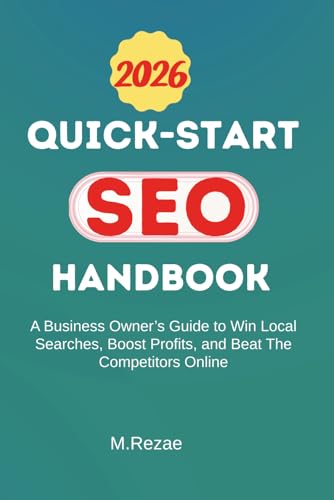
Quick-Start SEO Handbook: The Amazon listing presents this book as a business-owner guide to local search, profit, and online competition. It can help a small site turn tool output into business questions, while the article’s free consoles remain the evidence for the site’s own visibility.
Local SEO Secrets: The listing describes a collection of local SEO strategies. Use it to generate ideas for research and experiments, then confirm them with Search Console, customer intent, and the site’s real conversion path. No book can guarantee a position.

Local Image SEO: The listing identifies a book focused on image SEO for local search. It can complement a technical review of images and page quality, but validate every recommendation against current platform guidance and the visitor’s need.

These books are optional study aids. The free tools stay useful only when you define the question first, record the evidence, and act on a measurable finding.