
In a computer accessories business, you buy mice, hubs, laptop stands, keyboards, cables and desk mats in bulk. Then you resell them online for more than they cost to land, list and ship. No repair skill or technical trade is involved. Instead, the work is choosing the right items and pricing every sale with all of its costs counted. In addition, each product has to work with the buyer’s machine before it ships.

That last condition decides more than beginners expect, because an accessory that does not fit the buyer’s laptop comes back as a return. Consequently, you pay for shipping twice and earn nothing on the order. In addition, anyone with the same supplier can list the same generic hub. Therefore, if you start a computer accessories business, compete on what a rival with the same supplier cannot copy. That means the niche, the bundle, and a listing that settles compatibility before the order.
How a Computer Accessories Business Makes Money
Profit is what remains after two costs. The first is the landing cost: the supplier’s price plus the freight and duties to your shelf. The second is the selling cost, which covers marketplace fees, packaging, shipping labels, expected returns and advertising. What the buyer pays, minus both costs, is your margin on that unit. Therefore, a cheap item can still lose money in a computer accessories business when it ships heavy or comes back often.
The buyers are people who work at a laptop and want it to behave like a desktop, such as remote workers, students, freelancers and small offices. Moreover, one item often leads to another. For example, a laptop with two USB-C ports and no HDMI port often needs a hub to drive a monitor while charging. In turn, the monitor needs the right cable, so one purchase creates the need for the next.
That chain is where bundles and attach sales come from in a computer accessories business. An attach sale is the second item a buyer adds because the first one created the need. For instance, a stand calls for an external keyboard, and a hub calls for a cable. Selling them together raises the value of each order. Moreover, a bundle sold as one listing pays the per-item fees once. In addition, buyers find it harder to compare a bundle line by line with a single competing hub.
The Numbers Behind One Sale in a Computer Accessories Business
Work through one sale on paper before choosing a product. The table splits a hypothetical $40 bundle, a USB-C hub with a wireless mouse, sold in Electronics Accessories on Amazon’s US marketplace. Only the fee lines come from Amazon; the supplier, freight, packaging, shipping, returns and advertising figures are invented round numbers. They keep the arithmetic easy; they are not quotes, market prices or a promise of income. Replace each one with your own figures before you decide anything.
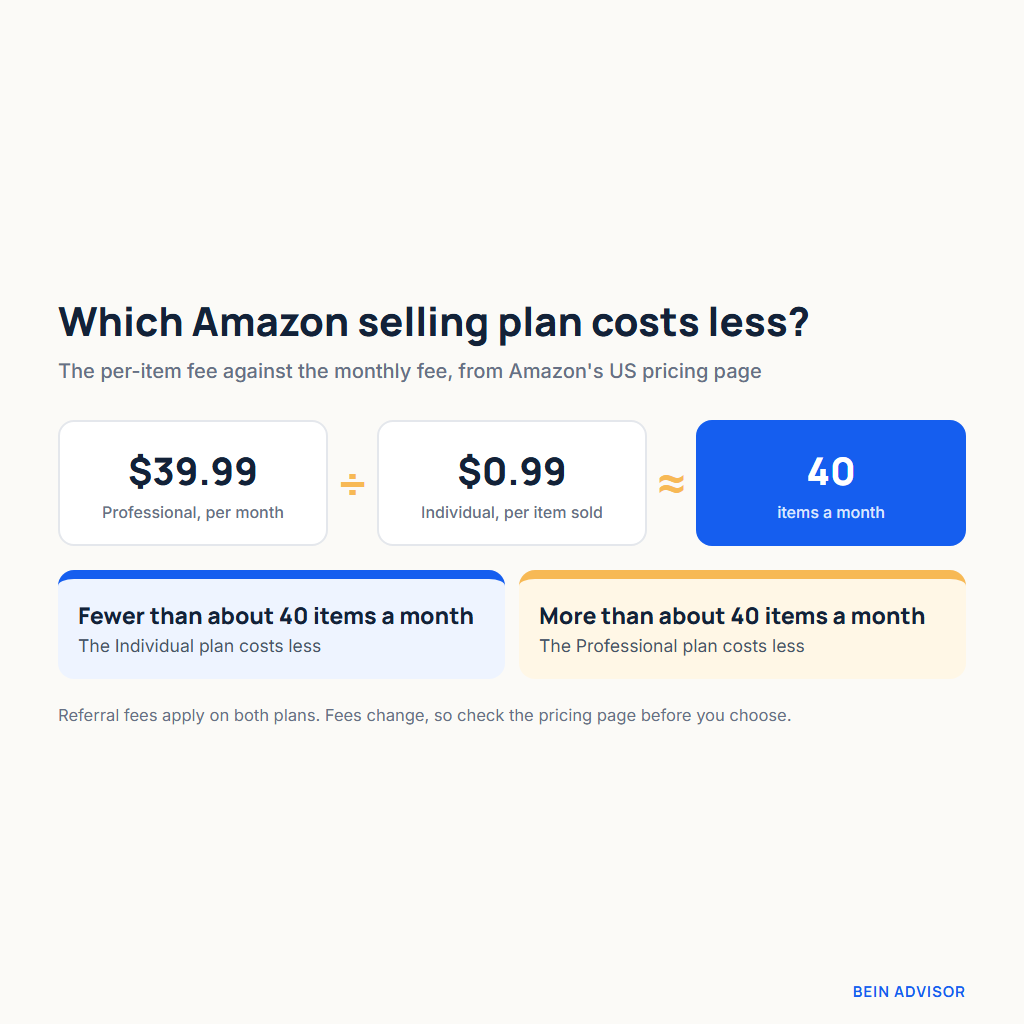
The fee lines come from Amazon’s seller pricing page. For Electronics Accessories, the referral fee is 15% of the portion of the total sales price up to $100. Any portion above $100 pays 8%, and the minimum is $0.30 per item. In contrast, Computers and Consumer Electronics carry 8%. In addition, the Individual plan charges $0.99 per item sold. On the other hand, the Professional plan costs $39.99 a month plus selling fees. These fees change, so check the page itself before you set your prices.
| Share of a $40 bundle (illustrative) | Amount | Source of the figure |
|---|---|---|
| Product cost from the supplier (hub + mouse) | $14.00 | Invented. |
| Inbound freight and duties | $3.00 | Invented. |
| Referral fee, 15% of $40 | $6.00 | Amazon’s pricing page. |
| Plan fee per item | $1.00 | $0.99 on Individual, or $39.99 over about 40 sales on Professional. |
| Packaging | $1.00 | Invented. |
| Outbound shipping to the buyer | $5.00 | Invented; you ship the order yourself. |
| Returns allowance | $2.00 | Invented; 5% of the price. |
| Advertising | $4.00 | Invented. |
| Left before your time and taxes | $4.00 | About 10% of the sale. |
In this example, about $4 of the $40 is left before your time and any tax. As a result, in a computer accessories business one return or a higher ad bill can erase the profit from several orders. Consequently, the levers that matter in a computer accessories business are a lower landing cost, a bundle price that absorbs fixed costs, and fewer returns. Furthermore, check the pricing page for any other fee that applies to your account, and add it as a line.
Choosing a selling plan and reading the fee tiers
For a computer accessories business, the plan choice is arithmetic too. Divide $39.99 by $0.99, and the answer is about 40. Therefore, a store selling more than about 40 items a month pays less on the Professional plan, and a smaller store pays less on Individual. Similarly, the referral tier matters for larger bundles. For example, a $120 bundle in a computer accessories business pays 15% on the first $100 and 8% on the remaining $20. That comes to $15 plus $1.60, or $16.60 in total.
Cheap single items show the minimum fee at work. At 15%, a $1.50 cable would owe about $0.23, but the $0.30 minimum applies, and the Individual plan adds $0.99. As a result, $1.29 of the $1.50 goes to fees before the cable or the postage is paid. In contrast, the same cable inside a bundle adds value without its own per-item fees. If you also sell from your own website, read about the hidden costs of running your own ecommerce platform, because the fee lines differ there.
Pick a Niche Before You Build a Catalog
Fifty unrelated accessories tie up cash in fifty small stock positions and spread your product knowledge thin. A niche, on the other hand, is a group of buyers who share one setup problem. Because they share the problem, they ask the same compatibility questions. Therefore, you can work out those answers once and reuse them in every listing. For a computer accessories business with small capital, a niche also means fewer suppliers to vet and fewer samples to test.
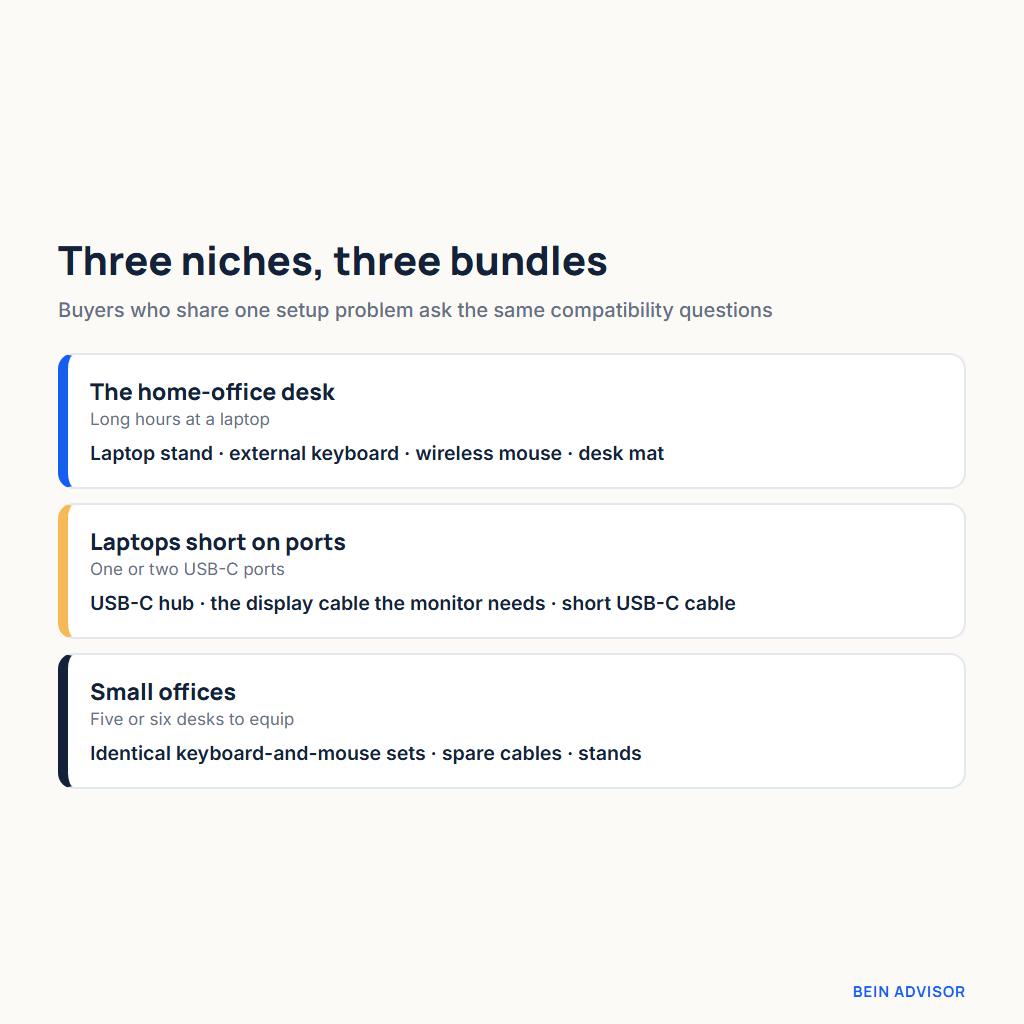
Three niches suit a beginner, and each one groups naturally into a bundle:
- The home-office desk. These buyers work at a laptop for long hours. Their bundle is a laptop stand, an external keyboard, a wireless mouse and a desk mat.
- Laptop users short on ports. A thin laptop with one or two USB-C ports cannot connect a monitor, a drive and a charger at once. Their bundle is a USB-C hub, the display cable their monitor needs and a short USB-C cable.
- Small offices. An office equipping five or six desks wants identical keyboard-and-mouse sets, spare cables and stands. Furthermore, it may order again when it adds a desk.
OSHA’s computer workstation guidance places the top line of the screen at or below eye level. In addition, it puts the monitor directly in front of the user, at least 20 inches away, with 20 to 40 inches preferred. That is advisory guidance, not an OSHA standard. On a bare desk, a laptop lying flat puts its screen well below that eye-level line. A stand raises the screen, but in turn it lifts the built-in keyboard to an awkward typing height. Therefore, the stand solves half the problem, and the external keyboard and mouse solve the other half.

In a computer accessories business built around the home desk, that reasoning belongs in the listing too. For the port-short laptop, the logic runs through the cable instead. For instance, a hub with an HDMI port is no help if the buyer’s monitor takes a different input. Consequently, the bundle should name the monitor input it serves. For small offices, on the other hand, the selling point is sameness: one set of instructions, one type of spare part and identical desks.
A guide to the best mobile accessories for every budget shows how a neighboring product line splits into price bands. The same split suits a computer accessories business: one entry bundle and one complete desk bundle.
Compliance Checks in a Computer Accessories Business Before a Product Goes Live
Three checks come first. In particular, they cover radio certification, the risk of chargers and batteries, and the logos on the box. Each check takes little time in a computer accessories business. However, skipping one can leave you with stock you cannot legally or safely sell. The checks below follow US law; if you ship to other markets, check their requirements as well.
Wireless mice and keyboards need an FCC ID
A wireless mouse or keyboard transmits over 2.4 GHz or Bluetooth. Under the FCC’s Part 15 rules, that makes it an intentional radiator. According to 47 CFR 15.201(b), such a device must be certified under the FCC’s equipment authorization rules before marketing. The rule names a few exceptions, so read them if a supplier says its product is exempt. Consequently, confirm certification before you list the item.
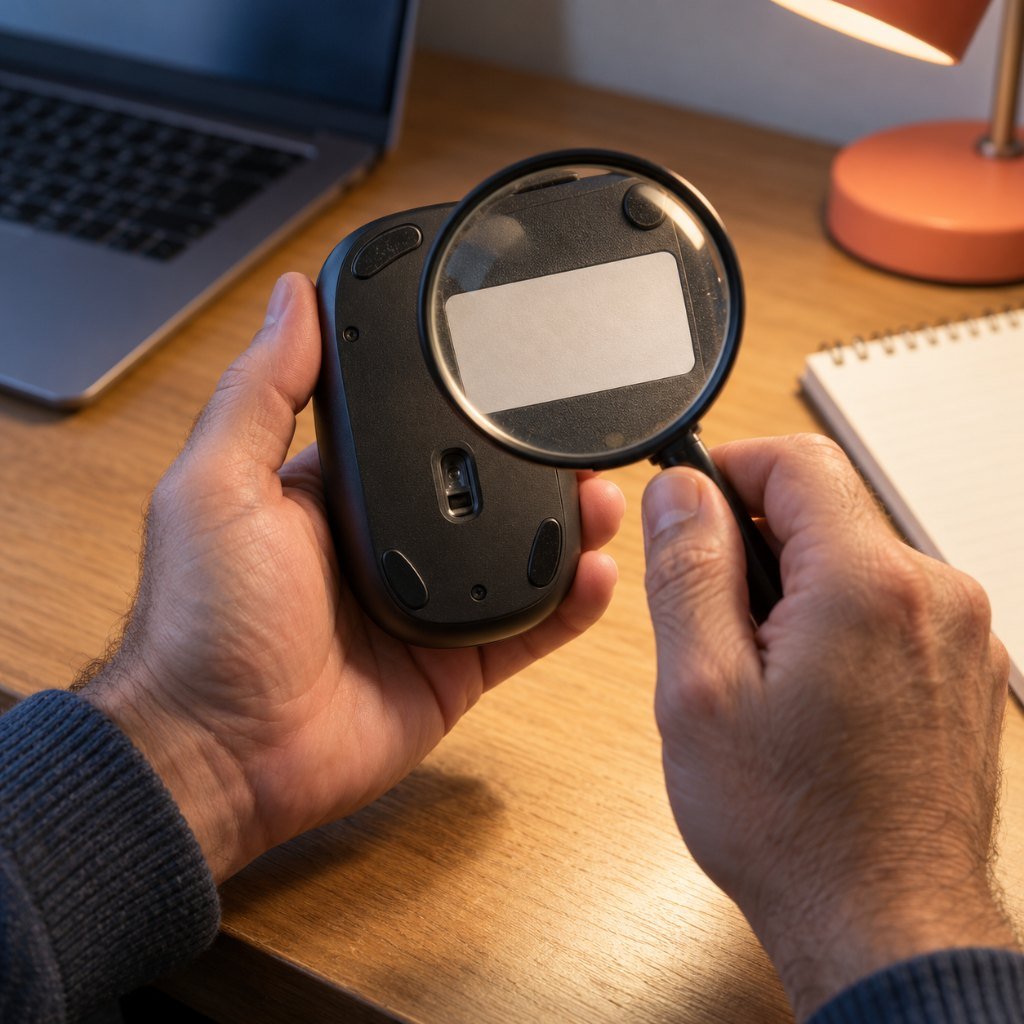
First, ask the supplier for the FCC ID, which usually appears on the product label. Then search it in the FCC’s equipment authorization search, where the ID combines a grantee code with a product code. The result should show the same kind of product your supplier describes. However, if the supplier cannot give an ID, treat the item as unready for the US market. Similarly, set it aside if the search returns an unrelated product.
Products that do not transmit radio can instead be authorized under a Supplier’s Declaration of Conformity, in which the responsible party declares compliance without filing it with the FCC. Therefore, they do not appear in the search, and a missing entry on such a product is not automatically suspect. In contrast, a wireless mouse falls under the certification rule above. A missing ID on a wireless item therefore still needs an answer from the supplier.
Leave chargers and power banks for later
Chargers and power banks look like easy add-ons. Yet they carry far higher stakes than a mouse or a desk mat in a computer accessories business. The Chartered Trading Standards Institute reported a UK investigation, carried out with UL, in which investigators bought 400 counterfeit Apple chargers online. Of those, 397 failed an electrical strength test, a basic safety check, and only 3 passed. In those chargers, the failure meant mains voltage was not kept safely apart from the parts a user touches, so they could give an electric shock. That said, the study tested counterfeits and does not describe every low-priced charger. However, a beginner cannot reliably tell a counterfeit from a genuine unit in a sample box.
Shipping adds a second reason to wait. Under USPS Publication 52, small consumer lithium batteries go by international mail only when installed in their equipment. Domestically, lithium-ion batteries shipped without equipment travel by surface only, and air is prohibited. In fact, a power bank is a battery shipped without equipment. Consequently, USPS will not carry it abroad by mail, and at home it moves by ground. Other carriers and countries set their own rules, so check each one before you ship. For these reasons, keep chargers and power banks out of the first catalog of a computer accessories business. Later, revisit them only once you can verify both the product and the carrier’s terms.
A USB logo is a claim you can check
Hub and cable boxes may carry USB logos. According to USB-IF’s logo license terms, only products that passed USB-IF compliance testing and appear on the Integrators List may use them. Therefore, a logo on a box is a claim, and the list is where you verify it. For example, a sample may show the logo while the product is missing from the list. In that case, ask the supplier which certified product it matches. Meanwhile, leave the logo out of your photos and listing copy until you have an answer.
Sourcing Stock for a Computer Accessories Business
Stock reaches a small store through three routes:
- Local wholesale. Wholesalers and distributors in your city let you handle the item before you pay, without international freight or customs. However, the unit price may be higher than an import price, so check it against your cost table.
- AliExpress for samples and small lots. Use it for one piece or a few dozen when you need to test an item. Before ordering, read the store’s positive feedback rating and the review count on its feedback page. In addition, read the item’s own rating, its review count and the return terms.
- Alibaba for cartons. Once a sample passes, filter for Verified suppliers and pay through Trade Assurance, Alibaba.com’s protection for orders paid on the platform. However, its terms and limits are shown per order and per supplier. Therefore, read them on the order itself before paying, and do not assume a refund.
Whatever the route, order samples before cartons. A carton commits your cash to a product you have never held. In contrast, a sample commits only the price of a few pieces and their postage. To compare like with like, order the same hub from two or three suppliers. In a computer accessories business with a small budget, a failed sample is a cheap lesson. A failed carton, on the other hand, can freeze most of your working capital.
Testing samples in a computer accessories business
Next, buy one known-brand reference unit for each core item, and judge every sample against it. A USB-C hub from an established brand and a known-brand wireless mouse give you a fixed baseline. Amazon suits this purchase because you need one named-brand piece with predictable delivery, while cartons come later from wholesale.
As an Amazon Associate, BeIN ADVISOR earns from qualifying purchases.
Compare the samples on things you can observe. For hubs, connect the same monitor, drive and charger to the reference hub and to each sample, and confirm that the picture, the drive and the charging all work. After an hour, touch each casing; a sample that runs clearly hotter than the reference under the same load is a warning sign. For mice, sit at your buyer’s usual distance and move the cursor for several minutes. Note whether the sample stutters or drops the connection while the reference mouse holds steady. Similarly, measure each cable with a tape and compare it with the supplier’s stated length.

Only after a sample passes should you order a carton, and the first one from a new supplier should be small. When it arrives, open several units at random and repeat the heat check and the cable measurement. In addition, keep the approved sample sealed and labeled as the benchmark for later shipments. Ultimately, the reference unit and that sample set the quality standard for your computer accessories business.
Listings That Answer Compatibility Before the Buyer Asks
A compatibility return begins with a question the listing left open: will this work with my laptop? A buyer who has to guess may order, test the item and send it back. Therefore, make the answer visible before the buyer reaches the price. Four listing habits do most of that work in a computer accessories business.
- Put the limits first. Perhaps your test laptop showed no picture through the hub’s HDMI port, or the mouse would not pair with a tablet. In either case, say so above the feature list.
- Name what you tested. List the operating systems and port types you actually tested with, in plain words. However, leave out any claim you copied from the supplier’s page without checking.
- Give the measured cable length. Use the figure from your own tape measure, because the supplier’s stated length may differ from the unit in your hand.
- Photograph the port. Show each port close up, next to a common plug for scale. As a result, buyers can match it against their own machine before they order.
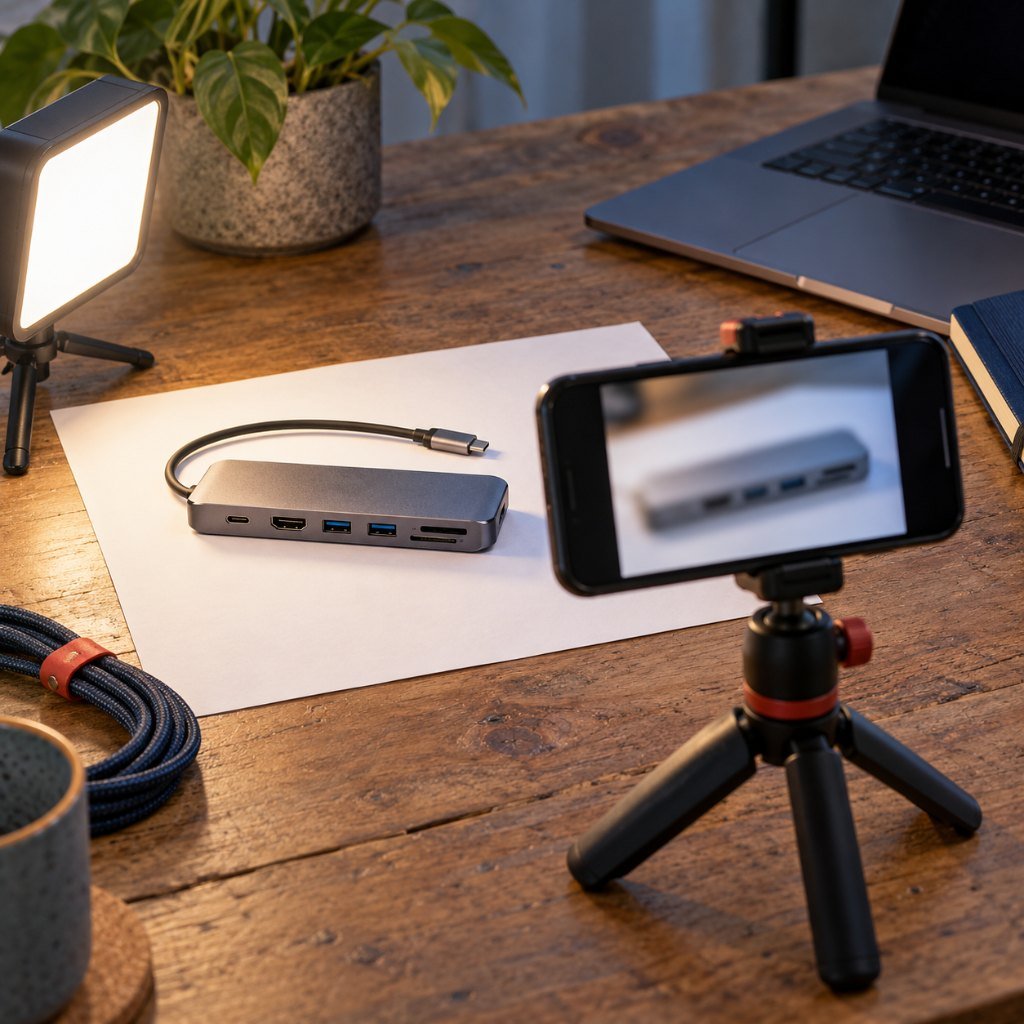
These habits also help after the sale, since a buyer who knew the limits in advance has less reason to complain. In contrast, a listing that copies the supplier’s longest feature list invites the returns your cost table cannot absorb. In a computer accessories business, the listing is part of the product, because it decides who orders the item.
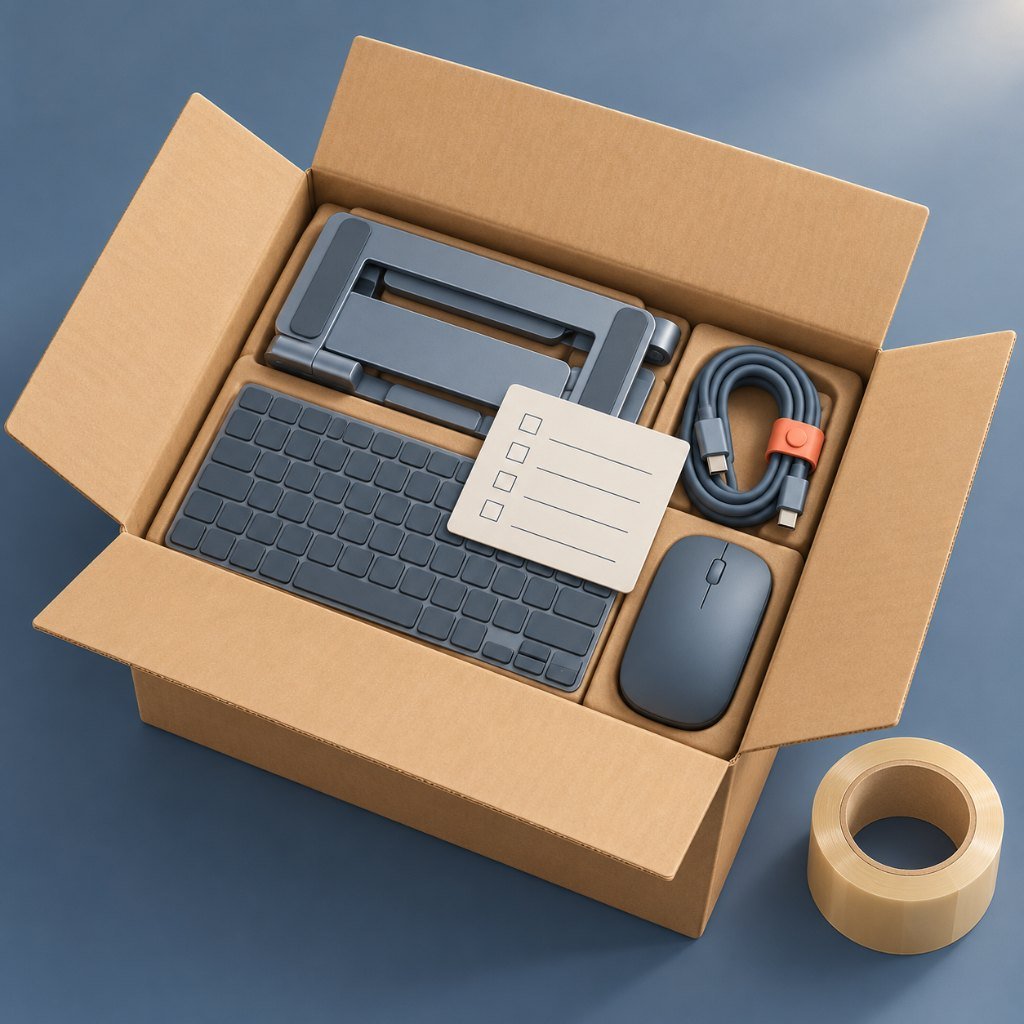
The box should then repeat what the listing promised. Pack each bundle with a printed card naming every item, the systems you tested and the cable length. With that card, the buyer can confirm nothing is missing before writing to you. In addition, a padded mailer and a coiled, tied cable keep the parcel small. In turn, the packaging and shipping lines stay where your cost table set them.
Mistakes That Cost a New Computer Accessories Business Money
Each mistake below is listed with what it costs you.
- Buying a full carton before a sample passes. Suppose the hub runs hot or the mouse drops its connection. As a result, the whole carton becomes stock you cannot list in good conscience.
- Pricing from the supplier’s price alone. Fees, packaging, shipping, returns and ads all come out of the same sale. Leave any of them out, and a product that looks profitable loses money on every order.
- Listing chargers and power banks first. The counterfeit charger findings show the safety risk, and the USPS rules restrict how a power bank travels. Therefore, a first catalog that leads with them carries the most risk for the least experience.
- Copying the supplier’s claims into your listing. An unchecked logo, resolution or wattage becomes your promise to the buyer. Consequently, when the claim fails, the return and the complaint come to you.
- Launching a wide catalog with no niche. Fifty unrelated items bring fifty sets of compatibility questions you cannot answer well. In turn, listings stay vague and returns rise.
Most of these mistakes in a computer accessories business share one root cause: spending before checking. Because of that, each one is cheap to prevent at the sample stage and far more expensive after a carton arrives.
Sell Your First Ten Bundles to People You Can Ask
Before you order a second batch of stock, sell the first bundles to buyers who will answer questions. For example, colleagues at work, friends who work from home and a small office nearby are good candidates. Strangers on a marketplace may leave a rating; however, you cannot sit beside them and ask what went wrong. That is why the first buyers of a computer accessories business should be people you can reach again.
Ask each buyer the same few questions. Which item did they use every day, and which one stayed in the box? Did anything fail to work with their laptop, monitor or operating system? For instance, did the hub run warm under their usual load, or did the mouse lag at their desk? Finally, what did they wish the bundle had included? Their answers show which items earn a place in your computer accessories business and which ones only add cost. In addition, they give you the buyer’s own words for your next listing.
Then act on those answers before you put more money into your computer accessories business. Drop the item nobody used, add the cable that several buyers asked for, and rewrite the listing around the problem they described. Your next step is concrete: sell ten bundles to people you can question, then revise the bundle before you buy more stock.